In today’s rapidly evolving business landscape, the synergy between finance and information technology (IT) has become a critical driver of success. The strategic investment in technology is no longer just an option; it’s a necessity.
Some Examples of Successful Synergization of Finance and IT in Technology Investment
Financial Inclusion Through Technology. The fintech revolution has made significant strides in automating financial services and reducing the financial gap. Fintech solutions have democratized access to financial services.
Real-Options Approach. Managing IT investments using a real-options approach has revolutionized strategic decision-making. It allows organizations to adapt to changing circumstances and seize valuable opportunities.
AI and Investment Decisions. Artificial intelligence (AI) has become a powerful tool in investment decisions. AI-driven robo-advisors analyze data, offering personalized investment strategies and enhancing risk management.
Synergy in Business Mergers. The fusion of finance and IT in business mergers can result in increased profitability, streamlined operations, and a competitive edge.
Several companies serve as shining examples of effective synergy between finance and IT:
Square, Inc. is a leading financial technology company that has successfully integrated finance and IT through its innovative payment and financial services, leveraging technology to provide accessible and convenient financial solutions to businesses and individuals. Square’s payment platform has enabled businesses to reach global audiences and establish connections with customers, driving the growth of many companies and opening up unparalleled expansion opportunities
BlackRock. A global investment management corporation, BlackRock employs technology to enhance its services, particularly in data analytics, risk management, and investment strategies.
Adyen. This payment company has seamlessly integrated finance and IT to provide a smooth and efficient payment platform, catering to the evolving needs of the financial sector.
Some Tools for Synergization of Finance and IT in Technology Investment
Tool
Description
Financial Management Software
Integrates financial and IT data, offering a holistic view for informed technology investments.
Business Intelligence (BI) Tools
Analyze financial and IT data, identify trends, and make data-driven investment decisions.
Robotic Process Automation (RPA)
Automates financial and IT processes, improving efficiency and enabling cost-effective investments.
Artificial Intelligence (AI) Solutions
Analyzes data, identifies investment opportunities, and optimizes technology portfolios.
Blockchain Technology
Enhances financial transparency, security, and efficiency, supporting strategic technology investments.
While many may dismiss spam as an annoyance, its impact extends beyond cluttered inboxes. Spam can lead to resource overload, reputational damage, security risks, IP blacklisting, and financial strain for organizations.
The Consequences of Spam
Resource Overload: Spam inundates email servers, causing them to consume valuable bandwidth and resulting in increased operational costs.
Reputational Damage: Organizations that struggle to manage spam effectively risk harming their reputation, eroding trust among customers and partners.
Security Risks: Spam is frequently used as a vector for delivering malware, phishing attempts, and malicious links, thereby compromising an organization’s cybersecurity posture.
IP Blacklisting: An organization’s IP addresses may face blacklisting due to the excessive spam originating from them, leading to disruptions in email communication and reduced website traffic.
Financial Impact: The time and resources spent on managing spam-related issues, including security breaches and email filtering, translate into a financial burden.
Anti-Spam Techniques
Spam Filters: Deploying robust spam filters equipped with content analysis, sender reputation assessment, and user behavior analysis can effectively identify and block spam emails.
Preventing IP Blacklisting: Organizations must take proactive steps to prevent IP blacklisting, such as maintaining a positive IP reputation to ensure uninterrupted email communication.
Improving IP Reputation: Actively working on enhancing the organization’s IP reputation by adhering to ethical online practices and avoiding malicious activities is essential.
Email Authentication: The implementation of email authentication techniques, including SPF (Sender Policy Framework) and DKIM (DomainKeys Identified Mail), can help verify the authenticity of email senders.
Prioritizing Engaged Users: Focusing on engaging users who genuinely express interest in an organization’s emails can reduce spam complaints and enhance overall email deliverability.
Common Techniques Used to Bypass Spam Filters
Technique
Description
Recognizable Sender Name
Use a clear and recognizable sender name to avoid being flagged as spam.
Personalization
Include personalized content in emails to make them less likely to be flagged as spam.
Avoiding Spam Trigger Words
Refrain from using spam trigger words, especially in subject lines, to reduce spam flagging.
Obfuscation
Employ obfuscation techniques to bypass keyword-based spam filters.
Phantom Newsletter
Include a phantom newsletter to confuse filters that look for specific email content patterns.
Getting Whitelisted
Add specific senders to email service provider whitelists to improve deliverability.
Consistent “From” Field
Use a consistent “From” field to avoid triggering spam filters that rely on changing sender names.
Clear and Trustworthy “From” Field Names
Use sender names that are clear and trustworthy to avoid being marked as spam.
Consistent “From” Field Name
Maintain a consistent “From” field name to ensure a good sender reputation.
In today’s interconnected digital landscape, understanding the nuances of IP transit services is essential for businesses seeking reliable and efficient internet connectivity. IP transit, often regarded as the backbone of the internet, offers a wide range of benefits and cost considerations that can significantly impact a company’s network strategy.
What are the Benefits of Using IP Transit for Businesses
IP transit services bring a plethora of advantages to the table, making them an attractive option for businesses of all sizes. Here are the key benefits of incorporating IP transit into your network infrastructure:
Superior Peering
One of the primary advantages of IP transit is its ability to provide superior peering. By directly connecting to other Internet Service Providers (ISPs), businesses can reduce the number of network hops required to access hosts on partner networks. This results in improved network efficiency and overall performance.
Direct Access to Infrastructure
Applications and services hosted with the provider are seamlessly integrated into the network, achieving near-LAN transfer speeds. This direct access to infrastructure can significantly enhance the user experience.
Global Internet Access
IP transit opens doors to global internet access, allowing businesses, ISPs, and telecom companies to expand their product portfolios and reach a broader customer base. This global reach can be a game-changer for businesses looking to expand their digital footprint.
Reliability and Performance
IP transit services are renowned for their high availability, optimal performance, and competitive pricing. They ensure reliable and high-quality internet connectivity, crucial for businesses that depend on uninterrupted access to the online world.
Redundancy and Resilience
Many IP transit services provide redundancy and resilience, guaranteeing 100% uptime and maintaining a congestion-free network. These fully redundant structures can handle peak utilization efficiently, ensuring a reliable internet connection.
Flexibility and Scalability
IP transit services offer flexibility in charging options, including flat-rate or burstable usage. This flexibility allows businesses to tailor their internet connectivity plans to meet their specific needs, accommodating changing bandwidth requirements.
How IP Transit Helps Businesses Expand Their Customer Base
IP transit plays a pivotal role in helping businesses expand their customer base by providing access to the global internet. By partnering with an IP transit provider, businesses can reach a larger audience and offer a broader range of services. This expansion leads to increased profitability and business growth. IP transit services also enable organizations to manage costs efficiently, enhance business diversity, and adapt to changing business needs, empowering them to take the next step toward digital transformation cost-effectively and without constraints.
The Cost Implications of Using IP Transit for Businesses
While IP transit offers numerous benefits, it’s essential to consider the cost implications for businesses. The cost of IP transit can vary depending on several factors. For networks with high traffic volumes, IP transit can be expensive. However, the global trend is toward decreasing prices, with IP transit services available for as low as $0.1 per Mbps per month. This price reduction is attributed to the maturity of technology, which allows for better services at lower costs.
The cost of IP transit should be weighed against its advantages, making it crucial for businesses to conduct a cost-benefit analysis based on their specific needs and budget constraints.
Comparison of IP Transit and DIA (Direct Internet Access)
Aspect
IP Transit
DIA (Direct Internet Access)
Advantages
– More secure and reliable due to connections with other ISPs.- Flexible routing ability.- Easier management of DDoS attacks.- Suitable for businesses requiring continuous and reliable internet access, especially those with large data transfers, 4K streaming, video conferences, eCommerce operations, and cloud computing storage.
– Simple setup with no specific prerequisites.- Offers a cost-effective solution.- Ideal for businesses not requiring peering with other ISPs and looking for an economical way to route internet traffic.
Considerations
– Potential cost concerns for networks with high traffic volumes.- Prices vary but have been decreasing globally, with services available at around $0.1 per Mbps per month.
– Locked to a single ISP, which can lead to downtimes during ISP outages, congestion, or DDoS assaults.- Lacks the ability to peer with other ISPs.
The Differences Between IP Transit and Peering
Aspect
IP Transit
Peering
Definition
A commercial service allowing ISPs to connect to the global Internet through larger ISPs or transit providers.
A process where two Internet networks directly exchange traffic without using third parties for transit.
Cost
Paid service with charges varying based on usage to reach multiple ISPs and networks.
Can be settlement-free (no charges) or paid with a monthly fee depending on the agreement between ISPs.
Routing
Involves routing traffic through multiple networks, potentially leading to increased latency and performance degradation.
Offers direct connections between networks, resulting in better performance and security with fewer network hops and potential points of failure.
Reliability
Relies on multiple networks, introducing additional points of potential failure, impacting overall network stability and reliability.
Peer networks tend to be more reliable, with fewer disruptions such as DDoS attacks on ISP infrastructure.
The Role of Transit Providers
Transit providers are instrumental in the global internet ecosystem, serving as the backbone that connects customer networks or downstream ISPs to the internet. Their primary functions include forwarding packets efficiently, supporting routing protocols, and providing access to the global internet, ensuring reliable and high-quality data transfer. Transit providers enable superior peering, direct infrastructure access, and redundant connectivity, offering businesses the ability to connect to other ISPs and exchange traffic directly. This facilitates efficient data transfer, reduces the number of network hops, and ensures a dependable internet connection. Transit providers are essential for seamless and reliable internet access for businesses and end-users.
IP Address Management (IPAM) is a critical component of network administration, ensuring the efficient allocation, monitoring, and maintenance of IP addresses. Advanced techniques in IPAM involve the use of sophisticated tools and software to streamline IP address space management, DNS, and DHCP services.
Advanced Techniques in IPAM encompass a wide range of strategies and tools that enhance the efficiency, accuracy, and security of IP address management within complex network environments. These techniques go beyond basic IP address allocation and tracking, offering solutions for streamlined administration, automation, and integration with other network services. Here are some advanced techniques in IPAM:
Centralized IP Address Management
Creating a centralized system or using specialized IPAM software to allocate and track IP addresses, allowing for more efficient management and monitoring of address assignments across the network.
Regular IP Address Audits
Conducting periodic audits to validate the accuracy of IP address assignments, identify discrepancies or unused IP addresses, and prevent IP address conflicts.
Structured Addressing Scheme
Creating and implementing a well-structured IP addressing scheme, such as hierarchical addressing (e.g., subnetting and supernetting), to improve scalability, simplify management, and lower the risk of address exhaustion.
Automated IP Address Management
Using automation to streamline the allocation and management of IP addresses, which reduces human error, improves efficiency, and enables the rapid deployment of new devices or services.
Integration with DNS and DHCP Services
Advanced IPAM solutions integrate with DNS and DHCP services, allowing for the automatic assignment of devices to specific networks and subnets based on customized rules, control of reservations in DHCP, and automatic updating of DNS records.
These techniques enhance the management of IP address space, making it more efficient, reliable, and adaptable to the needs of modern networks.
The Best IPAM Tools
Here is a comparison of some of the best IPAM tools available:
IPAM Tool
Features and Capabilities
Pros
Cons
SolarWinds IP Address Manager (IPAM)
– Simplified DNS and DHCP integration – Compliance and auditing – Cloud management capabilities – Role-based access control – Effective troubleshooting
– Centralized platform for managing IP addresses – Robust features for IP address assignment – Clear view of the network’s IP address space – Aids in compliance and auditing – Critical device IP address reservations
– Not designed for home users, in-depth networking tool built for IT professionals
phpIPAM
– Automated IP Address Tracking – Alerting – Troubleshooting – Reporting – AutoDiscovery – Dependency Mapping – On-premise and Cloud DNS and DHCP support
– Simple and easy-to-use interface – Efficient IP address management – VLAN management and subnet scanning
– Geared towards smaller networks, may lack some advanced features
– Integration with DNS and DHCP servers – Efficient IP address management
– May lack some advanced features
NetBox
– IP address management (IPAM) – Supports complex network hierarchies
– User-friendly interface – Suitable for beginners
– May lack some advanced features
GestioIP
– Basic IP address management features – Cost-effective
– User-friendly interface – Suitable for beginners
– May lack some advanced features
These tools offer a range of features and are suitable for different use cases, from basic IP address management to more advanced and comprehensive solutions. When choosing an IPAM tool, it’s important to consider the specific needs of the network and the level of expertise of the users who will be managing the IP addresses.
What are the Pricing Options for the Top IPAM Tools
The pricing options for the top IPAM tools vary based on the features and capabilities offered.
SolarWinds IP Address Manager (IPAM): Available from $1,995 (£1,531). There is also a 30-day free trial
Infoblox IPAM: Starts at $7,145 (£5,485). Geared for larger complex distributed networks
NetBox: NetBox is an open-source IPAM tool, and as such, it is available for free
phpIPAM: open-source for free
GestioIP: open-source for free
What Are the Differences Between Free and Paid IPAM Tools?
Free and paid IPAM tools differ in several key aspects:
Features and Capabilities
Paid IPAM tools typically offer a wider range of advanced features, including integration with DNS and DHCP, compliance and auditing, and automation. Free IPAM tools may have limited features and are often suitable for smaller networks.
Scalability
Paid IPAM tools are often more scalable and designed for larger, complex distributed networks. Free IPAM tools may be limited in terms of scalability and features.
Support and Community
Paid IPAM tools usually offer commercial support, while free IPAM tools rely on community forums and documentation for support.
Integration and Automation
Paid IPAM tools may provide integrations with third-party automation tools, offering more flexibility. Free IPAM tools may lack advanced integration capabilities.
In summary, paid IPAM tools offer a broader feature set, scalability, commercial support, integration, and automation capabilities. Free IPAM tools are suitable for smaller networks and provide basic IP address management features at no cost. The choice between free and paid IPAM tools depends on the specific requirements and budget of the organization.
In the digital realm, where communication is primarily conducted through email and online platforms, the reputation of your IP address holds immense significance. It is a key factor that determines whether your emails reach their intended recipients’ inboxes or get lost in the abyss of spam folders. Furthermore, your IP address reputation can affect your network security and online credibility.
The Impact on Email Deliverability, Security, and Credibility
Let’s delve into the core areas where IP address reputation plays a pivotal role:
Email Deliverability: A positive IP address reputation ensures that your emails are not flagged as spam. This significantly increases the chances of your messages reaching your audience.
Network Security: A reputable IP address reduces the risk of being associated with malicious activities or cyberattacks. It safeguards your network’s integrity.
Online Credibility: A good IP address reputation reflects positively on your business. It demonstrates your commitment to legitimate and ethical online practices, which can enhance your online credibility.
Now that we understand the importance of IP address reputation, let’s explore strategies to master it.
Key Strategies for Improving IP Address Reputation
IP address reputation is a measure of the trustworthiness of an IP address based on its historical behavior and associated activities. It is akin to a digital identity scorecard, indicating whether an IP address has been involved in spammy or malicious actions.
Strategy
Description
Separating Email Servers
Divide marketing and business transactionemail servers to prevent overloading an IPaddress with a large email volume.
Gradual IP Warming
Gradually increase email sending volumesfrom a new IP address to establish apositive reputation without triggeringspam filters.
Malware Infection Prevention
Regularly check email servers for malwareinfections to prevent IP reputation damage.
Continuous IP ReputationMonitoring
Monitor IP reputation as part of acybersecurity program to identify andaddress issues promptly.
Prioritizing Engaged Users
Send emails to engaged users in smallbatches to establish and maintain apositive IP reputation.
Maintaining a Clean EmailList
Regularly remove email addresses thatmark messages as spam or those who haven’tengaged with emails to keep the list clean.
Accurate Record-Keeping
Maintain accurate records to preventmalicious actors from hiding behindinaccurate information.
Tools and Services for IP Reputation Management
To aid in the process of maintaining and improving IP address reputation, businesses can leverage various tools and services:
IP Reputation Checkers
Tools like Cyren IP Reputation Check provide real-time data on reputation scores, threat status, and geographic location.
Email Marketing Platforms
Many email marketing platforms offer features to monitor and enhance IP reputation, such as feedback loops, engagement prioritization, and list management tools.
Record-Keeping Services
Accurate record-keeping helps in preventing malicious actors from hiding behind inaccurate information, which can negatively impact IP reputation.
Dedicated IP Address Reputation Management Services
Dedicated services like Antideo IP Reputation Management offer tools and expertise to help businesses maintain email deliverability and network security.
These tools and services empower businesses to actively manage and maintain a positive IP address reputation, ensuring the reliability and credibility of their online communications.
In an era where digital interactions define business success, mastering IP address reputation is a journey worth embarking upon. It’s not just about emails; it’s about building trust, credibility, and a secure digital presence.
In the contemporary cyber world, a VPN (Virtual Private Network) acts much like a digital magician, capable of altering your online presence and location with a few clicks. This article delves into the intriguing world of VPNs, exploring their function, benefits, and the art of changing your virtual location.
At its core, a VPN is a tool that creates a secure and encrypted tunnel for your internet traffic. It redirects your data through designated servers across the globe, effectively masking your original IP address – the unique identifier that reveals your actual geographical location. This digital sleight of hand not only enhances privacy but also unlocks a world of possibilities in content access and internet freedom.
Why Disappear and Reappear Elsewhere?
The reasons for changing one’s virtual location are as varied as they are compelling:
Access to Restricted Content: Imagine wanting to watch a show only available on American Netflix while you’re in Europe. A VPN can virtually relocate you to the U.S., providing access to the content.
Bypassing Censorship: In countries with strict internet regulations, a VPN can be your gateway to unrestricted information, allowing access to globally censored websites and services.
Enhanced Privacy and Security: By masking your IP address, VPNs prevent trackers, hackers, and even ISPs from monitoring your online activities, offering a cloak of invisibility in the digital realm.
How VPNs Work
When you activate a VPN, it reroutes your internet connection through a remote server. This process changes your IP address to that of the server’s location. For example, connecting to a server in Japan makes it appear as if you are browsing from Japan, no matter where you actually are.
Selecting the Right VPN
The VPN market is flooded with options, each promising a range of features and benefits. When selecting a VPN, consider:
Server Locations: The more global servers a VPN has, the more countries you can virtually travel to.
Speed and Reliability: A good VPN should provide a fast and stable connection, ensuring seamless browsing.
Privacy Policies: Opt for a VPN with a strict no-logs policy to ensure your data isn’t recorded or sold.
Setting Up a VPN for Location Changing
Download a Reputable VPN App: Choose a VPN service and download its application on your device.
Select a Server Location: Open the app, browse through the list of countries, and select your desired location.
Connect and Browse: With a single click, you’re connected, and your virtual location is changed.
The Final Act
In conclusion, VPNs are powerful tools that offer unparalleled freedom and security in the digital world. They not only change your virtual location but open doors to global content, protect your privacy, and help bypass censorship.
In the vast and interconnected realm of modern networking, the management of IP (Internet Protocol) addresses stands as a crucial aspect often overlooked in the shadow of more glamorous technological advancements. Yet, in this intricate dance of digital communication, IP Address Management (IPAM) plays a pivotal role, orchestrating the seamless flow of information across the network. As the number of devices on networks exponentially grows, the traditional methods of managing IP addresses, once straightforward, now face complex challenges demanding more sophisticated solutions.
Understanding IP Addresses: Static vs. Dynamic
At the heart of IPAM lies the understanding of IP addresses, which are essentially the numerical labels assigned to each device on a network. These addresses come in two main forms: static and dynamic. Static IP addresses remain constant, making them ideal for devices that require a permanent address, like printers or web servers. In contrast, dynamic IP addresses can change. They are typically assigned to devices like workstations, where a constant IP address is not necessary. This dynamism is managed through the Dynamic Host Configuration Protocol (DHCP), a network management protocol used to automate the process of configuring devices on IP networks.
The Necessity of Efficient IPAM
As networks continuously gain more devices, outdated IP address management methods face new challenges. Despite this, IPAM is still crucial for any organization’s network. Efficient IPAM ensures streamlined communication, improved security, and better scalability of the network infrastructure. It involves managing and tracking IP address spaces, ensuring there are no conflicts, and that the network runs smoothly and efficiently.
The Role of Dynamic DNS in IPAM
Dynamic DNS is crucial in adapting to the dynamic nature of today’s networks. As devices connect and disconnect, enter and leave the network, Dynamic DNS helps in maintaining an accurate and current mapping of device names to IP addresses. This dynamic adaptation is especially critical in environments with mobile devices and wireless connections, where IP addresses frequently change.
Importance of Regular IP Audits
The audits help in identifying unused or stale IP addresses and detecting any conflicts or misconfigurations. The frequency of these audits depends on the size and complexity of the network, but they should be a regular part of IPAM strategy.
Documentation and Role-Based Access in IPAM
Thorough documentation in IPAM provides a clear history of IP address allocations, configurations, and changes, which is invaluable for troubleshooting and future planning. Additionally, implementing role-based access controls in IPAM systems ensures that only authorized personnel can make changes to IP configurations, thereby enhancing network security.
Popular IPAM Tools
IPAM Tool
Key Features
Pros
Cons
Advanced IP Scanner
Fast IP scanning, Remote control, User-friendly interface
Simple and efficient, Access to shared folders
Limited advanced features, Windows-only
Nmap
Port scanning, OS Detection, Scriptable scans, Network mapping
Highly versatile, Extensive functionality, Multi-platform support
Higher cost for larger networks, Setup required for advanced features
Angry IP Scanner
Scans IP addresses and ports, Cross-platform, Lightweight, Exportable results
Easy to use, Fast scanning, Minimal resource usage
Lacks some advanced features, Limited reporting/alerting
SolarWinds IP Address Manager
IP address tracking, DHCP/DNS integration, Automation, Subnet management, Reporting
Robust management features, Integration with network services, Automates tasks
Expensive for smaller networks, Learning curve for new users
Each of these tools offers unique functionalities suited to different network environments and needs. When selecting an IPAM tool, it is crucial to consider factors like the size and complexity of your network, specific management goals, scalability, and the learning curve associated with the tool.
Choosing the Right IPAM Tool
When selecting an IPAM tool, consider the following:
Network Size and Complexity: Match the tool’s capabilities with your network’s size and complexity.
Specific Goals: Identify what you aim to achieve with the IPAM tool, such as efficient IP allocation, precise monitoring, or security enhancements.
Vendor Reputation: Research the vendor’s standing in the industry and user feedback.
Scalability and Future-Proofing: Ensure the tool can adapt to evolving network needs and technologies.
Regulatory Compliance: If applicable, choose a tool that supports compliance reporting for standards like GDPR or HIPAA.
Conclusion
Efficient IP address management is critical for the smooth operation of any network. With the right IPAM tool, network administrators can effectively manage and monitor IP addresses, ensuring optimal network performance and security. By considering factors like network size, goals, and scalability, you can select an IPAM tool that best suits your needs, helping your network dance to the rhythm of efficiency and security.
In an era where digital footprints are closely monitored and personalized, the ability to change one’s IP address has become an essential tool for many internet users. The IP address, a unique identifier assigned to each device on a network, not only reveals your location but can also provide insights into your online behavior. This article delves into the various reasons why individuals and organizations might seek to change their IP addresses.
The significance of changing IP addresses extends across several domains, primarily focusing on privacy, security, and the ability to access content restricted to specific geographical locations. From a privacy standpoint, changing an IP address helps mask one’s online activities from potential snoopers, ranging from hackers to intrusive marketing agencies. For security, it adds an extra layer of defense against cyber threats, especially important in an age where digital data is a valuable commodity.
Moreover, in the context of accessing geo-restricted content, changing an IP address becomes a crucial tool. Various online services and websites limit their content to specific regions. By changing their IP address, users can bypass these geo-restrictions, accessing a wider range of information, entertainment, and services that would otherwise be inaccessible from their real location. This capability is not just a matter of convenience but also of necessity for some, especially those living in regions with stringent internet censorship or travelers who need access to content from their home country.
Why Change Your IP Address?
Changing IP addresses serves several purposes, all vital in today’s digital landscape:
Bypassing Geo-Restrictions: Many online services, including streaming platforms, restrict content based on geographical location. Changing an IP address can grant access to this content. For example, a user in Asia might use a VPN to access US-specific Netflix content.
Enhancing Privacy: With growing concerns over digital privacy, changing an IP address can help obscure a user’s online activities from ISPs, marketers, and potential hackers. This is especially important for those who wish to keep their browsing habits confidential.
Overcoming Censorship: In countries with strict internet censorship, changing an IP address can be a gateway to unrestricted information. For instance, citizens in a country where social media platforms are blocked might use a VPN to access these sites.
Examples
Streaming Services: A resident of Australia using a VPN to access the US library of Netflix to watch shows not available in their region.
Journalism: Journalists in oppressive regimes using Tor to access and share information freely without fear of government surveillance.
Travel: A traveler from the UK using a VPN to access their internet banking services, which are geo-restricted to UK IP addresses.
Methods to Change IP Address
VPNs (Virtual Private Networks):
Pros: Offers strong encryption, wide range of server locations, and can unblock most geo-restricted content.
Cons: Some VPNs might log user data; free VPNs often have data caps and slower speeds.
Changing IP addresses can offer enhanced privacy, overcome censorship, and provide access to geo-restricted content. While VPNs are the most comprehensive solution, proxies and Tor also offer means for IP address change, each with their specific advantages and limitations. Users should choose the method that best fits their needs, considering factors such as speed, security, and the type of content they wish to access.
Step-by-Step Guide to Changing IP Address with a VPN
Choose a VPN Service: Based on the table above, select a VPN service that fits your needs in terms of speed, server count, pricing, and features.
Create an Account: Sign up on the VPN provider’s website, providing necessary details.
Download and Install: Download the VPN application for your device and follow the installation instructions.
Connect to a Server: Launch the VPN app, log in, and choose a server in the desired location.
Verify the Change: Use an IP checking tool like ipleak.net to confirm that your IP address has changed to the selected location.
Legal Considerations and Ethical Use
Legality: In most countries, changing your IP address using a VPN is legal as long as it’s not for illegal activities. However, some countries have restrictions on VPN usage.
Ethical Considerations: Responsible use of VPNs includes respecting content licensing agreements and not engaging in illicit activities while using the service.
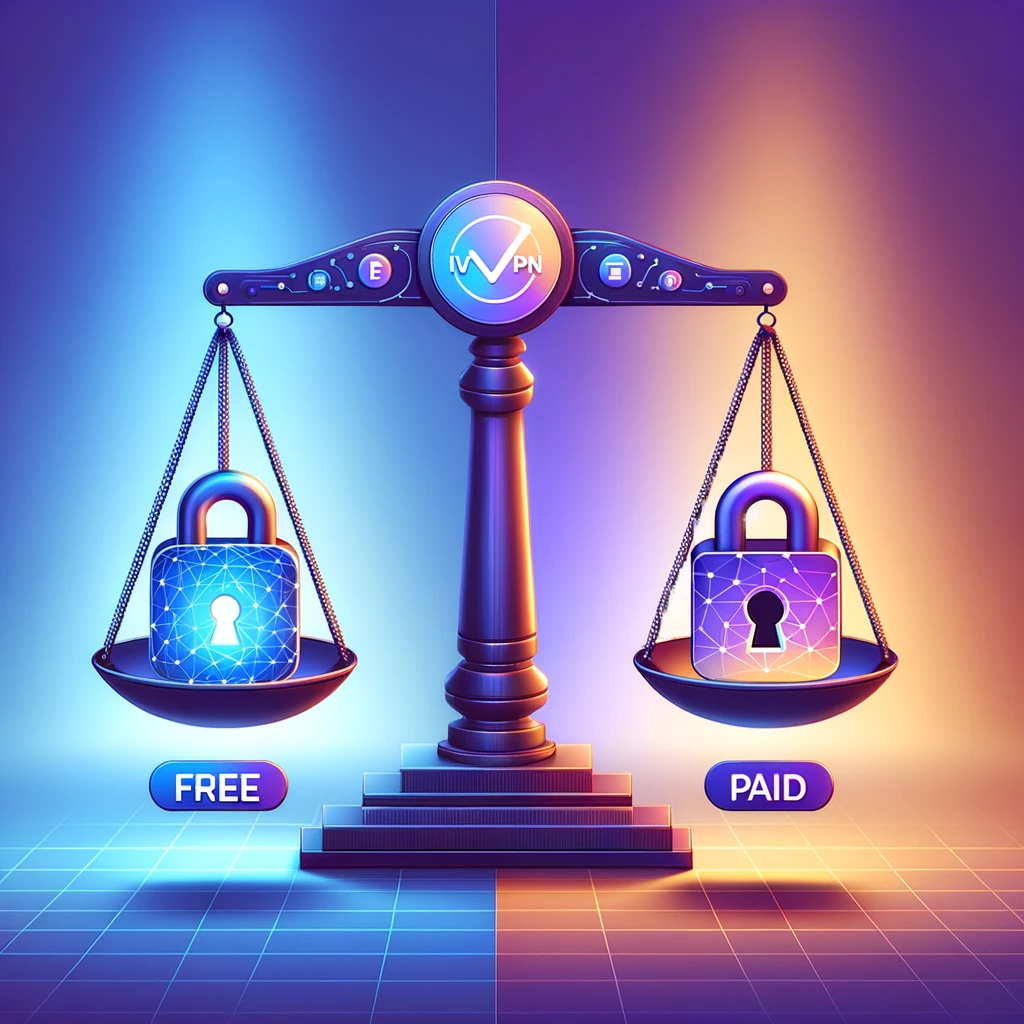
Free vs Paid VPN Services: What to Choose?
Free VPNs: Offer basic features with limitations in speed, server availability, and sometimes security.
Paid VPNs: Provide comprehensive features, better security, and support for a wider range of activities like streaming and torrenting.
Decision Making: Choose free VPNs for basic, occasional use and paid VPNs for consistent, secure, and high-speed connections.
Security Concerns and Best Practices
Security Risks: Changing IP addresses can expose you to security risks if not done properly.
Best Practices: Use VPNs with strong encryption standards, ensure no DNS/IP leaks, and follow the VPN’s guidelines for secure connections.
Conclusion
Changing your IP address can enhance privacy, overcome censorship, and provide access to geo-restricted content. The choice between free and paid VPN services depends on your specific requirements and usage patterns. Always prioritize security and privacy, and ensure you’re aware of the legal and ethical implications of using such services.
In recent years, the use of Virtual Private Networks (VPNs) has seen a remarkable surge globally. This rise can be attributed to the growing awareness and concern over internet privacy and security, as well as the need for unrestricted access to online content. VPNs have become essential tools for individuals and businesses alike, seeking to safeguard their online activities and digital footprint.
The importance of VPNs extends beyond just privacy. In the digital age, where data breaches and cyber threats are rampant, VPNs offer a necessary layer of security by encrypting internet traffic and masking IP addresses. This encryption is crucial in preventing unauthorized access to sensitive data, making VPNs a staple in cybersecurity strategies.
Additionally, VPNs play a significant role in accessing geo-restricted content. With content distribution often limited by geographical boundaries, VPNs enable users to bypass these restrictions, providing access to a broader range of information and entertainment sources. This capability is particularly valuable for users in regions where internet censorship is prevalent or for those who need access to specific international content.
Free VPNs
While VPNs are available in both paid and free versions, free VPNs have gained popularity due to their no-cost appeal. However, it’s essential to understand the distinctions between free and paid VPN services. Free VPNs often come with limitations such as reduced speed, limited server options, and data caps, which may affect the user experience.
Furthermore, the reliability and security offered by free VPNs can vary significantly. Some free VPNs maintain strict no-logging policies and offer reasonable security, making them suitable for basic privacy needs. In contrast, others may compromise user privacy by logging and potentially selling user data to third parties. Users of free VPNs must navigate these varied landscapes with an understanding of the potential trade-offs between cost, privacy, security, and performance.
Comparison between free and paid VPN services
Aspect
Definition/Role
Free VPN Services
Paid VPN Services
Online Privacy Protection
Masks IP address and encrypts data to maintain anonymity and secure information.
Provides basic encryption and IP masking.
Offers advanced encryption and privacy features.
Speed
Affects how quickly data can be transferred over the internet.
Often have slower speeds due to server limitations.
Generally offer higher speeds with optimized servers.
Server Locations
Determines the virtual location and access to geo-restricted content.
Limited server options, often resulting in overcrowded servers.
Extensive range of server locations worldwide.
Data Caps
Limits on the amount of data that can be used.
Commonly impose data limits, restricting extensive usage.
Usually offer unlimited data usage.
Security Features
Includes encryption, kill switch, etc., for enhanced security.
Basic security features, sometimes lacking advanced options.
Robust security features like advanced encryption, kill switch, and more.
Streaming and Torrenting
Ability to access geo-restricted streaming content and support for P2P file sharing.
May struggle with streaming services; limited support for torrenting.
Better support for streaming and torrenting with dedicated servers.
Customer Support
Assistance for troubleshooting and queries.
Limited support options, often restricted to FAQs or email support.
Comprehensive support including 24/7 live chat, detailed guides, and email support.
Overall Reliability
Consistency in performance and trustworthiness.
Can be less reliable, with potential for downtime and slower updates.
Generally more reliable with consistent performance and regular updates.
Summary
While both free and paid VPNs provide the fundamental function of encrypting internet traffic and masking the IP address, there are significant differences in terms of speed, server availability, data limits, security features, and overall reliability. Free VPNs offer a cost-effective solution for basic privacy needs but come with limitations that might affect performance and security. On the other hand, paid VPNs provide comprehensive features and better reliability, making them suitable for more intensive and security-sensitive online activities.
Top Free VPN Services
Free VPN Service
Key Features
Limitations
Pros
Cons
TunnelBear
– Servers in 42 countries – AES 256-bit encryption- User-friendly interface
– Data limit of 500 or 1,500 MB/month- Cannot unblock all versions of Netflix
– Large server network- Fun and easy-to-use app- Good for basic streaming
– Narrow data limit- Limited Netflix unblocking
hide.me
– Servers in 8 countries – 10 GB/month data limit – Strong privacy protection
– Limited server options- Not great for streaming- One device connection
– Good for torrenting – Solid encryption and privacy
– Small server network- Pushy upsell campaign
ProtonVPN
– Unlimited bandwidth- Servers in Japan, Netherlands, US- No-logs policy
– Restricted speeds – Only 1 device/connection- No torrenting
– Secure server network – Good privacy jurisdiction
– Below-average speeds- Limited streaming support
Logging Policies and User Privacy:
TunnelBear: Known for its strong commitment to user privacy, TunnelBear has a clear no-logs policy, ensuring that users’ activities are not tracked or recorded.
hide.me: Also maintains a strict no-logging policy, offering a good level of privacy protection despite being a free service.
ProtonVPN: Based in Switzerland, ProtonVPN is noteworthy for its privacy-focused approach and transparent no-logs policy, which is crucial for maintaining user anonymity.
Summary:
These free VPN services offer various features suitable for basic privacy needs and casual internet use. While they all provide a degree of privacy and security, limitations such as data caps, server availability, and streaming capabilities are common. Users should consider these factors, along with the VPNs’ privacy policies, to choose the most suitable free VPN service for their needs.
Discussion on the Importance of No-Logging Policies in VPN Services
The no-logging policy of a VPN service is a critical factor for ensuring user privacy and security. This policy implies that the VPN provider does not keep records of the user’s internet activities, including their browsing history, IP addresses, and other sensitive data. A strict no-logging policy is crucial for protecting users from surveillance and data breaches. Users should be wary of free VPNs that may log and sell user data to third parties, defeating the purpose of using a VPN for privacy.
Insights into the Logging Policies of Various Free VPN Providers
Different free VPN providers have varying approaches to logging policies:
Providers like ProtonVPN and TunnelBear emphasize their no-logs policy, highlighting their commitment to user privacy.
However, some free VPNs may engage in logging user activities, often justified as necessary for improving services or for advertising purposes.
How User Data Might Be Handled or Misused by Some Free VPN Services
Free VPN services, especially those with unclear logging policies, might handle user data in ways that compromise privacy:
Selling data to advertisers or third-party agencies.
Using browsing data to target users with specific ads or content.
Potential risk of data leaks or breaches.
Security Concerns with Free VPNs
While free VPNs provide basic security, they often lack advanced security features found in paid VPNs:
Limited encryption standards and security protocols.
Absence of features like kill switches, which prevent data leaks if the VPN connection drops.
Scenarios Where Upgrading to a Paid VPN Might Be Beneficial
Upgrading to a paid VPN is advisable in certain scenarios:
For users requiring higher speeds and stable connections, especially for streaming or gaming.
When advanced security features and stronger encryption are necessary, such as for handling sensitive data.
If access to a broader range of server locations is needed.
Cost-Benefit Analysis of Free vs. Paid VPNs
Free VPNs are suitable for basic, occasional use but come with limitations in speed, security, and server availability.
Paid VPNs offer comprehensive features, better security, and reliability, making them a worthwhile investment for frequent or professional users.
Setting Up a Free VPN
Step-by-Step Guide:
Select a Reputable Free VPN Provider: Research and choose a provider with a good reputation and clear privacy policies.
Create an Account: Visit the provider’s website, sign up with your email, and create a password.
Download and Install the VPN Software: Download the VPN application from the provider’s website and follow the installation instructions.
Connect to a VPN Server: Open the VPN app, log in, and connect to your choice of server.
Conclusion
While free VPN services offer a convenient and cost-effective solution for basic privacy needs, they come with inherent limitations and potential risks. Users must carefully evaluate these services, considering factors like logging policies, security features, and overall performance. In scenarios where robust security, high speeds, and diverse server options are required, investing in a paid VPN service is advisable. Setting up a free VPN is straightforward, but users should remain vigilant about the provider’s reputation and commitment to privacy.
To change your IP address to another country, you can use a VPN (Virtual Private Network). A VPN allows you to connect to a remote server in a different location, which then assigns you an IP address from that server. Here are the general steps to change your IP address to another country using a VPN:
Choose a reputable VPN service provider, such as ExpressVPN, NordVPN, or others with servers in the country you want to connect to
Sign up for the VPN service and install the VPN app on your device
Open the VPN app and connect to a server in the country you want to get an IP address from
Once connected, your IP address will be changed to the IP address of the server in the selected country
Using a VPN is a legal and commonly used method to change your IP address and access geo-restricted content or improve online privacy and security.
How to choose the best VPN for changing your IP address
To choose the best VPN for changing your IP address, consider the following steps and factors:
Server Coverage: Look for a VPN that offers servers in the country you want to connect to. The more server locations available, the more options you have for changing your IP address
Speed and Reliability: Choose a VPN with fast and reliable connections to ensure a smooth experience when using the new IP address
Security and Privacy Features: Prioritize VPNs that offer strong encryption, a no-logs policy, and other security features to protect your online privacy
Device Compatibility: Ensure that the VPN is compatible with your devices and offers user-friendly apps for easy IP address switching
Customer Support: Consider VPNs that offer responsive customer support to assist you with any issues related to changing your IP address
NordVPN and Surfshark are recommended as top choices for changing your IP address due to their server coverage, speed, and security features.
What are the differences between free and paid VPNs for changing your IP address
The differences between free and paid VPNs for changing your IP address are significant. Here are the key distinctions:
Privacy and Security: Paid VPNs typically offer higher levels of privacy protection and security, including strong encryption and a no-logs policy, while free VPNs may have limitations in these areas
Speed and Data Capacity: Paid VPNs generally provide faster communication speeds and unlimited data capacity, whereas free VPNs often have slower speeds and data limits
Server Availability: Paid VPNs offer a wider range of server locations in numerous countries, while free VPNs usually have servers in fewer countries and limited server availability
Ads and Data Collection: Free VPNs often rely on ads or data collection to generate revenue, which can compromise user experience and privacy, while paid VPNs do not rely on such practices
Reliability and Support: Paid VPNs typically offer more reliable performance and better customer support compared to free VPNs
In summary, while free VPNs may offer basic protection, investing in a paid VPN provides enhanced features, security, and reliable performance for changing your IP address.
How to test if your IP address has been successfully changed using a VPN
To test if your IP address has been successfully changed using a VPN, you can follow these methods:
Check Your IP Address: After connecting to a VPN server, you can visit websites like “What Is My IP” to note down your IP address and location. Upon connecting to the VPN server, your IP address should change to the one provided by the VPN
WebRTC Leak Test: You can perform a WebRTC leak test by visiting websites like BrowserLeaks with and without the VPN connected. This test helps ensure that your IP address remains private when using the VPN
IP Leak Test: After connecting to the VPN server, you can use IP leak test websites to verify that your IP address is different from your original IP. This test helps detect any potential IP leaks while using the VPN
By performing these tests, you can verify that your IP address has been successfully changed using a VPN.
How to troubleshoot common issues when changing your IP address with a VPN
Issue
Troubleshooting Steps
VPN Not Connecting
1. Check your internet connection.2. Change the VPN server or location.3. Use a different protocol.4. Consider trying a different VPN provider if the issue persists.
IP Address Not Hiding
1. Connect to a different server.2. Use a different protocol.3. Consider switching to a more secure VPN provider if the problem continues.
Checking IP Address Change
1. Visit a “What Is My IP” tool to note down your IP address and location before and after connecting to the VPN.2. Perform a WebRTC leak test to ensure your IP address remains private when using the VPN.3. Use an IP leak test to verify that your IP address is different from your original IP.
By following these steps, you can address common issues encountered when using a VPN to change your IP address.
How to troubleshoot slow internet speeds when using a VPN to change your IP address
Method
Description
Change VPN Server Location
Switch to a different VPN server location closer to your physical location to reduce latency and improve speed.
Switch VPN Protocol
Try switching between different VPN protocols (e.g., TCP and UDP) to see which one provides the fastest speeds.
Use a Wired Connection
If you’re using a Wi-Fi connection, switch to a wired ethernet connection to eliminate potential wireless interference and improve speed.
Close Unnecessary Apps
Shut down any background applications that may be consuming bandwidth and affecting your internet speed.
Restart Devices and Router
Reboot your computer, mobile device, and router to refresh the connections and potentially improve speed.
Check Internet Speed Without VPN
Test your internet speed without the VPN to ensure that the issue is not related to your base internet connection.
Enable Split Tunneling
If your VPN provider offers split tunneling, consider enabling this feature to route only the necessary traffic through the VPN, potentially improving speed.
Following these steps can help address issues of slow internet speed when using a VPN for IP address change.
How to optimize your VPN settings for faster internet speeds
To optimize your VPN settings for faster internet speeds, you can consider the following effective options:
Choose a Fast VPN Server: Opt for a geographically closer server with a lower user load to increase connection speed and stability
Switch VPN Server Location: Connect to a server closest to your physical location to reduce data travel distance and potentially improve speed
Change VPN Protocol: Try different VPN protocols to see which one provides the fastest speeds. Different protocols have varying advantages and disadvantages in terms of speed and security
Enable Split Tunneling: If available, enable split tunneling to send only the necessary traffic through your VPN connection, potentially boosting VPN speeds
Use a Wired Connection: Switch from a wireless to a wired ethernet connection to potentially improve speed and reduce latency
Clear Device and Browser Cache: Regularly clear unnecessary files and data from your device and browser to optimize performance and increase internet speed
Restart Your Router: A simple restart of your router or modem can resolve underlying connectivity issues and potentially improve speed
By implementing these options, you can optimize your VPN settings for faster internet speeds and enjoy a smoother online experience, whether using a VPN or not.