bgunderlay bgunderlay bgunderlay
123

IPv4 Subnet Cheat Sheet

IPv4 Subnet Cheat Sheet – Complete Reference Guide

Master the art of IP subnetting with this comprehensive reference guide. Designed for network administrators, engineers, and IT professionals, this IPv4 subnet cheat sheet transforms complex subnet calculations into clear, actionable insights.

What This IPv4 Subnet Cheat Sheet Covers:

  • Complete CIDR notation reference from /32 to /0
  • Subnet masks and wildcard masks for all common networks
  • Usable host calculations for efficient IP planning
  • Practical subnet breakdown examples for /24, /26, /27, /28, /29, and /30
  • IPv6 subnet reference with standard allocation sizes
  • Network planning guidance for certification exams (CCNA, CompTIA Network+)
  • Real-world IP addressing scenarios to avoid common mistakes

From certification exam preparation to enterprise network design, this elegant reference guide delivers instant clarity—empowering professionals at every level to configure networks with precision and confidence.

Table of Contents

It provides a clear, concise breakdown of CIDR notation, subnet masks, wildcard masks, total IP addresses, and usable host counts for each subnet size—from /32 (single host) to /8 (large network blocks). Understanding subnetting is crucial for efficient IP allocation, network design, and troubleshooting.

This cheat sheet simplifies complex binary calculations by presenting key information in an easy-to-read table format, enabling quick decision-making when dividing networks into subnets. It also includes practical examples showing how IP ranges and broadcast addresses are structured within common subnet sizes like /24, /26, /28, and /30.

These examples help users visualize network boundaries and plan address space effectively. Additionally, the guide supports learning and certification preparation for exams such as CCNA, CompTIA Network+, and other networking credentials.

Learn more about IP Networks and Leasing with Interlir.

Designed for both beginners and experienced professionals, this resource enhances accuracy in network configuration and minimizes errors in IP planning.

Complete IPv4 CIDR Notation Reference Table

📘 How to Navigate This Reference: This comprehensive table presents all IPv4 CIDR prefixes—from /32 (single host) to /0 (entire Internet address space). Each entry displays the total IP addresses, corresponding subnet mask, and available host bits. Whether you’re designing networks, diagnosing connectivity issues, or optimizing IP allocation strategies, this table serves as your definitive quick-reference guide.

✨ Expert Insight: In enterprise environments, four subnet sizes dominate network architecture: /24 (256 addresses) for departmental networks, /26 (64 addresses) for team segments, /28 (16 addresses) for small device clusters, and /30 (4 addresses) for dedicated point-to-point links.

Prefix IP Addresses Subnet Mask Bits
/321255.255.255.2550
/312255.255.255.2541
/304255.255.255.2522
/298255.255.255.2483
/2816255.255.255.2404
/2732255.255.255.2245
/2664255.255.255.1926
/25128255.255.255.1287
/24256255.255.255.08
/23512255.255.254.09
/221,024255.255.252.010
/212,048255.255.248.011
/204,096255.255.240.012
/198,192255.255.224.013
/1816,384255.255.192.014
/1732,768255.255.128.015
/1665,536255.255.0.016
/15131,072255.254.0.017
/14262,144255.252.0.018
/13524,288255.248.0.019
/121,048,576255.240.0.020
/112,097,152255.224.0.021
/104,194,304255.192.0.022
/98,388,608255.128.0.023
/816,777,216255.0.0.024
/733,554,432254.0.0.025
/667,108,864252.0.0.026
/5134,217,728248.0.0.027
/4268,435,456240.0.0.028
/3536,870,912224.0.0.029
/21,073,741,824192.0.0.030
/12,147,483,648128.0.0.031
/04,294,967,2960.0.0.032

Guide to IPv4 Subnets

/25 – 2 Subnets – 126 Hosts/Subnet

Network # IP Range Broadcast
.0.1-.126.127
.128.126-.254.255

/26 – 4 Subnets – 62 Hosts/Subnet

Network # IP Range Broadcast
.0.1-.62.63
.64.65-.126.127
.128.129-.190.191
.192.193-.254.255

/27 – 8 Subnets – 30 Hosts/Subnet

Network # IP Range Broadcast
.0.1-.30.31
.32.33-.62.63
.64.65-.94.95
.96.97-.126.127
.128.129-.158.159
.160.161-.190.191
.192.193-.222.223
.224.225-.254.255

/28 – 16 Subnets – 14 Hosts/Subnet

Network # IP Range Broadcast
.0.1-.14.15
.16.17-.30.31
.32.33-.46.47
.48.49-.62.63
.64.65-.78.79
.80.81-.94.95
.96.97-.110.111
.112.113-.126.127
.128.129-.142.143
.144.145-.158.159
.160.161-.174.175
.176.177-.190.191
.192.193-.206.207
.208.209-.222.223
.224.225-.238.239
.240.241-.254.255

/29 – 32 Subnets – 6 Hosts/Subnet

Network # IP Range Broadcast
.0.1-.6.7
.8.9-.14.15
.16.17-.30.23
.24.25-.30.31
.32.33-.38.39
.40.41-.46.47
.48.49-.54.55
.56.57-.62.63
.64.65-.70.71
.72.73-.78.79
.80.81-.86.87
.88.89-.94.95
.96.97-.102.103
.104.105-.110.111
.112.113-.118.119
.120.121-.126.127
.128.129-.134.135
.136.137-.142.143
.144.145-.150.151
.152.153-.158.159
.160.161-.166.167
.168.169-.174.175
.176.177-.182.183
.184.185-.190.191
.192.193-.198.199
.200.201-.206.207
.208.209-.214.215
.216.217-.222.223
.224.225-.230.231
.232.233-.238.247
.240.241-.246.255
.248.249-.254255

/30 – 64 Subnets – 2 Hosts/Subnet

Network # IP Range Broadcast
.0.1-.2.3
.4.5-.6.7
.8.9-.10.11
.12.13-.14.15
.16.17-.18.19
.20.21-.22.23
.24.25-.26.27
.28.29-.30.31
.32.33-.34.35
.36.37-.38.39
.40.41-.42.43
.44.45-.46.47
.48.49-.50.51
.52.53-.54.55
.56.57-.58.59
.60.61-.62.63
.64.65-.66.67
.68.69-.70.71
.72.73-.74.75
.76.77-.78.79
.80.81-.82.83
.84.85-.86.87
.88.89-.90.91
.92.93-.94.95
.96.97-.98.99
.100.101-.102.103
.104.105-.106.107
.108.109-.110.111
.112.113-.114.115
.116.117-.118.119
.120.121-.122.123
.124.125-.126.127
.128.129-.130.131
.132.133-.134.135
.136.137-.138.139
.140.141-.142.143
.144.145-.146.147
.148.149-.150.151
.152.153-.154.155
.156.157-.158.159
.160.161-.162.163
.164.165-.166.167
.168.169-.170.171
.172.173-.174.175
.176.177-.178.179
.180.181-.182.183
.184.185-.186.187
.188.189-.190.191
.192.193-.194.195
.196.197-.198.199
.200.201-.202.203
.204.205-.206.207
.208.209-.210.211
.212.213-.214.215
.216.217-.218.219
.220.221-.222.223
.224.225-.226.227
.228.229-.230.231
.232.233-.234.235
.236.237-.238.239
.240.241-.242.243
.244.245-.246.247
.248.249-.250.251
.252.253-.254.255

Common Subnetting Mistakes to Avoid

Even seasoned network professionals encounter subnet calculation pitfalls. Mastering these nuances separates proficient administrators from exceptional ones:

  • Confusing Total IPs with Usable Hosts: A /24 network has 256 total IP addresses, but only 254 usable hosts (the network and broadcast addresses can’t be assigned to devices).
  • Forgetting to Account for Network & Broadcast Addresses: Always subtract 2 from the total address count to get usable hosts, except for /31 (point-to-point) and /32 (single host).
  • Miscalculating Subnet Boundaries: Subnet ranges must align on specific boundaries. For example, a /26 subnet can start at .0, .64, .128, or .192, NOT .50 or .100.
  • Using Wrong Wildcard Masks: Wildcard masks are the inverse of subnet masks. For 255.255.255.0, the wildcard is 0.0.0.255.
  • Overlapping Subnets: When subdividing networks, ensure subnet ranges don’t overlap. Use this cheat sheet to verify your IP allocation plan.
  • Ignoring VLSM Best Practices: Variable Length Subnet Masking (VLSM) lets you optimize IP usage, but requires careful planning to avoid conflicts.

⚠️ Production Deployment Best Practice: Always validate subnet calculations against this reference guide before implementing network changes in live environments. A single miscalculation can cascade into significant connectivity issues.

IPv6 Subnet Mask Cheat Sheet

As IPv4 addresses continue to exhaust, understanding IPv6 subnetting becomes essential. This IPv6 subnet reference complements the IPv4 cheat sheet above, helping network professionals prepare for the future of internet addressing.

Key IPv6 Allocation Standards:

  • /64 subnet: Standard allocation for end-user networks (18.4 quintillion addresses)
  • /48 subnet: Standard business/organization allocation (65,536 /64 subnets)
  • /32 subnet: Standard ISP allocation (4.3 billion /64 subnets)
  • /128 subnet: Single host (equivalent to IPv4 /32)

Unlike IPv4, IPv6’s vast address space eliminates the need for complex subnetting strategies in most scenarios. However, understanding the standard allocation sizes is crucial for network planning and IPv6 deployment.

Prefix IP Addresses Amount of a /64
/1281
/1272
/1264
/1258
/12416
/12332
/12264
/121128
/120256
/119512
/1181,024
/1172,048
/1164,096
/1158,192
/11416,384
/11332,768
/11265,536
/111131,072
/110262,144
/109524,288
/1081,048,576
/1072,097,152
/1064,194,304
/1058,388,608
/10416,777,216This is equivalent to an IPv4 Internet or IPv4 /8
/10333,554,432
/10267,108,864
/101134,217,728
/100268,435,456
/99536,870,912
/981,073,741,824
/972,147,483,648
/964,294,967,296
/958,589,934,592
/9417,179,869,184
/9334,359,738,368
/9268,719,476,736
/91137,438,953,472
/90274,877,906,944
/89549,755,813,888
/881,099,511,627,776
/872,199,023,255,5521/8,388,608
/864,398,046,511,1041/4,194,304
/858,796,093,022,2081/2,097,152
/8417,592,186,044,4161/1,048,576
/8335,184,372,088,8321/524,288
/8270,368,744,177,6641/262,144
/81140,737,488,355,3281/131,072
/80281,474,976,710,6561/65,536
/79562,949,953,421,3121/32,768
/781,125,899,906,842,6201/16,384
/772,251,799,813,685,2401/8,192
/764,503,599,627,370,4901/4,096
/759,007,199,254,740,9901/2,048
/7418,014,398,509,481,9001/1,024
/7336,028,797,018,963,9001/512
/7272,057,594,037,927,9001/256
/71144,115,188,075,855,0001/128
/70288,230,376,151,711,0001/64
/69576,460,752,303,423,0001/32
/681,152,921,504,606,840,0001/16
/672,305,843,009,213,690,0001/8
/664,611,686,018,427,380,0001/4
/659,223,372,036,854,770,0001/2
/6418,446,744,073,709,500,000This is the standard end user allocation
/6336,893,488,147,419,100,0002
/6273,786,976,294,838,200,0004
/61147,573,952,589,676,000,0008
/60295,147,905,179,352,000,00016
/59590,295,810,358,705,000,00032
/581,180,591,620,717,410,000,00064
/572,361,183,241,434,820,000,000128
/564,722,366,482,869,640,000,000256
/559,444,732,965,739,290,000,000512
/5418,889,465,931,478,500,000,0001,024
/5337,778,931,862,957,100,000,0002,048
/5275,557,863,725,914,300,000,0004,096
/51151,115,727,451,828,000,000,0008,192
/50302,231,454,903,657,000,000,00016,384
/49604,462,909,807,314,000,000,00032,768
/481,208,925,819,614,620,000,000,00065,536 This is the standard business allocation
/472,417,851,639,229,250,000,000,000131,072
/464,835,703,278,458,510,000,000,000262,144
/459,671,406,556,917,030,000,000,000524,288
/4419,342,813,113,834,000,000,000,0001,048,576
/4338,685,626,227,668,100,000,000,0002,097,152
/4277,371,252,455,336,200,000,000,0004,194,304
/41154,742,504,910,672,000,000,000,0008,388,608
/40309,485,009,821,345,000,000,000,00016,777,216
/39618,970,019,642,690,000,000,000,00033,554,432
/381,237,940,039,285,380,000,000,000,00067,108,864
/372,475,880,078,570,760,000,000,000,000134,217,728
/364,951,760,157,141,520,000,000,000,000268,435,456
/359,903,520,314,283,040,000,000,000,000536,870,912
/3419,807,040,628,566,000,000,000,000,0001,073,741,824
/3339,614,081,257,132,100,000,000,000,0002,147,483,648
/3279,228,162,514,264,300,000,000,000,0004,294,967,296 This is the standard ISP Allocation
/31158,456,325,028,528,000,000,000,000,0008,589,934,592
/30316,912,650,057,057,000,000,000,000,00017,179,869,184
/29633,825,300,114,114,000,000,000,000,00034,359,738,368
/281,267,650,600,228,220,000,000,000,000,00068,719,476,736
/272,535,301,200,456,450,000,000,000,000,000
/265,070,602,400,912,910,000,000,000,000,000
/2510,141,204,801,825,800,000,000,000,000,000
/2420,282,409,603,651,600,000,000,000,000,000
/2340,564,819,207,303,300,000,000,000,000,000
/2281,129,638,414,606,600,000,000,000,000,000
/21162,259,276,829,213,000,000,000,000,000,000
/20324,518,553,658,426,000,000,000,000,000,000
/19649,037,107,316,853,000,000,000,000,000,000
/181,298,074,214,633,700,000,000,000,000,000,000
/172,596,148,429,267,410,000,000,000,000,000,000
/165,192,296,858,534,820,000,000,000,000,000,000
/1510,384,593,717,069,600,000,000,000,000,000,000
/1420,769,187,434,139,300,000,000,000,000,000,000
/1341,538,374,868,278,600,000,000,000,000,000,000
/1283,076,749,736,557,200,000,000,000,000,000,000
/11166,153,499,473,114,000,000,000,000,000,000,000
/10332,306,998,946,228,000,000,000,000,000,000,000
/9664,613,997,892,457,000,000,000,000,000,000,000
/81,329,227,995,784,910,000,000,000,000,000,000,000

Need IPv4 Addresses for Your Network?

Now that you have the complete IPv4 subnet cheat sheet at your fingertips, are you ready to implement your network design? InterlIR is your trusted partner for IPv4 address solutions.

Our IPv4 Services:

Whether you need a /24 network (256 addresses) for your growing business or a larger /16 block (65,536 addresses) for enterprise infrastructure, our team can help you find the right IPv4 solution.

Partner with InterlIR to secure the IPv4 resources your network demands. Our specialists provide tailored guidance on network architecture, strategic subnetting approaches, and comprehensive IP address lifecycle management—transforming technical complexity into competitive advantage.

What is..?

IP Technology Illustration 2

ASN stands for Autonomous System Number. It is a unique identifier assigned to an autonomous system (AS) in the Internet that participates in the Border Gateway Protocol (BGP). An autonomous system is a collection of connected Internet Protocol (IP) routing prefixes under the control of one or more network operators that has a single, clearly defined routing policy.

In practical terms, an ASN is used by routers in the Internet to exchange information about IP routing paths. Each AS has a unique ASN, which is used to identify it to other ASes and to BGP routers in the Internet. This enables routers to determine the best path for traffic to take as it travels between different ASes and across the Internet.

ASNs are assigned by the Internet Assigned Numbers Authority (IANA) to regional Internet registries, which in turn allocate them to individual organizations or Internet Service Providers (ISPs) that operate autonomous systems.


What is LOA (Letter of Authorization)?

The Letter of Authorization (LOA) is a formal document issued to a client after successfully completing the Assignment Request process. This document grants the client permission to announce an ASN (Autonomous System Number) for a specified IP address range.

The LOA serves as proof that the client has the right to broadcast and manage the assigned IP address range within a network. It is often required by data centers, internet service providers, and network operators to confirm that the client is authorized to use the specified resources.

The document typically includes the following details:

  • Client’s name and contact information
  • Assigned IP address range
  • ASN details
  • Authorization date
  • Issuing organization’s contact information

This document ensures proper routing and compliance within global network infrastructures, preventing unauthorized use of IP address space.


What is an Assignment Request?

The Assignment Request (AR) process is initiated by the customer after successfully completing an order to rent an IP block. Other participants in the process include the supplier of the IP block (from whom the customer placed the order) and the InterLIR nanager.

The outcome of the process is that the customer can announce an ASN on the IP block using an LOA (Letter of Authorization) and utilize the rented block in accordance with the signed contract and the rules governing the use of the rented resource.

You can read the rental rules in the General Terms and Conditions for the Use of the Internet Site interlir.com section.


What is rDNS?

Reverse DNS (rDNS) is the process of resolving an IP address to a domain name, the opposite of the standard DNS lookup. In a regular DNS query, a domain name is translated into an IP address. However, with rDNS, the system identifies which domain name is associated with a specific IP address.

rDNS is primarily used for verification and security purposes. It helps validate the origin of emails to reduce spam by confirming that the sender’s IP address matches a legitimate domain name. Many mail servers reject or flag emails from servers without proper rDNS configuration.

rDNS records are stored as PTR (Pointer) records in the DNS database. Unlike forward DNS, rDNS queries use a special domain called in-addr.arpa, where the IP address is reversed and appended with this domain for lookup.

Setting up rDNS requires administrative access to the DNS records of the IP address block. It is typically managed by the IP block owner or provider through cooperation with the relevant Regional Internet Registry (RIR), such as RIPE for Europe.

Although rDNS is not essential for most internet services, it plays a key role in improving trust and reducing network abuse.

You can make a rDNS Request to the leased IP-Block to connect rDNS.


What is admin-c and tech-c?

tech-c: The technical contact responsible for the technical operations and management of the resource.

admin-c: The administrative contact responsible for organizational decisions and resource management.


What is CIDR and IP Prefix?

CIDR (Classless Inter-Domain Routing) is a method for allocating and representing IP addresses and their associated routing. CIDR uses the format:

  • IP_address/prefix_length, where:
  • IP_address is the starting address of the range.
  • prefix_length is the prefix, which specifies the number of bits used for the network portion of the address.

The prefix represents the number of leading 1 bits in the IP Block mask. It determines the width (in bits) of the IP Block.


What is a route?

A “route” is an object in an RIR (Regional Internet Registry) database that ties an IP block (inetnum/inet6num) to a specific ASN (Autonomous System Number), thereby authorizing that ASN to announce the block.


What is RPKI?

RPKI (Resource Public Key Infrastructure) is a cryptographic system that ties IP blocks and ASN (Autonomous System Number) to digital certificates, allowing networks to verify that a given ASN is legitimately authorized to announce a particular prefix.


What is hijacking?

Hijacking is the announcement of an IP block without the consent of the resource holder.


What is inetnum?

An “inetnum” (internet number) is an object in an RIR (Regional Internet Registry) database that records the details of an IP block allocation or assignment.


What is RIR?

RIR (Regional Internet Registry) is an organization that oversees the allocation and registration of IP address space and ASN (Autonomous System Number) within a defined region.


What is LIR?

LIR (Local Internet Registry) is a member of an RIR (Regional Internet Registry). An LIR distributes IP addresses to end users and/or uses them in its own infrastructure.


What is ORG Handle?

An “org” (organisation) is an object in an RIR (Regional Internet Registry) database that provides information about an organisation that has allocation or assignment of an internet resource (IP block/ASN).


What is abuse-c?

Abuse-c (abuse contact) is an object in an RIR (Regional Internet Registry) database that provides contact information for handling reports of network abuse.


What is subnet status?

Subnet status is an attribute in an IP block object (inetnum/inet6num) that indicates how a specific IP block is being used or managed. The main statuses are as follows:

LEGACY: IP address space was assigned before the current RIR system was established. An LIR can make assignments or sub-allocations from this allocation.

ALLOCATED PA (Provider Aggregatable): IP address space has been allocated to an LIR by an RIR. An LIR can make assignments or sub-allocations from this allocation.

SUB-ALLOCATED PA (Provider Aggregatable): IP address space that the LIR has been sub-allocated to another organization for reassignment.

ASSIGNED PA (Provider Aggregatable): IP address space has been assigned to an end user by an LIR. It can’t be further assigned.

ASSIGNED PI (Provider Independent): IP address space has been assigned by the RIR directly to an end user for a specific purpose. It can’t be further assigned.


What are blacklists (spam listings)?

Blacklists are databases of IP addresses, domains, or ASNs that have been observed sending spam, malware, or other abusive traffic. Mail servers and security appliances query these lists to decide whether to block or flag incoming connections. The main blacklists are maintained by Spamhaus Project, Barracuda Central, and SpamCop.


What is MNT-BY?

MNT-BY is a top-level maintainer that allows you to edit information in inetnums (whois), create any lower-level objects such as route, rDNS, inetnums, and create and edit route, rDNS on the same level as MNT-BY.


What is MNT-DOMAIN?

MNT-DOMAIN is a maintainer that allows you to create and edit information in rDNS (domain objects).


What is WHOIS?

WHOIS is a publicly accessible protocol and database used to look up registration information about internet resources such as IP addresses, AS numbers, and domain names.

Typical Information Provided:

  • Organization name
  • Contact details (admin, technical)
  • IP address allocation or domain ownership
  • Status and registration dates

WHOIS is essential for network troubleshooting, abuse reporting, and verifying resource ownership. Data is maintained by Regional Internet Registries (RIRs) and domain registrars.


What is ROA?

ROA stands for Route Origin Authorization — a cryptographically signed object in the RPKI system that authorizes a specific Autonomous System (AS) to originate a particular IP prefix in BGP.

Key Fields:

  • Prefix: The IP block being authorized (e.g., 203.0.113.0/24)
  • Origin AS: The AS number allowed to announce the prefix (e.g., AS12345)
  • Max Length: The maximum prefix length that can be announced (e.g., /24 allows 203.0.113.0/24, but not /25)
  • Validity Period: Start and end dates for the ROA’s validity

Purpose:

ROAs are used by routers and validators to determine if BGP announcements are valid, helping to prevent route leaks and hijacks.

Example:

A ROA might state:
“AS64500 is authorized to announce 192.0.2.0/24 with max length /24.”

Without a matching ROA, a route may be marked as Invalid during RPKI validation.


What is IANA?

IANA (Internet Assigned Numbers Authority) is the organisation that registers IP addresses and top-level domains. It reports directly to ICANN and in particular is responsible for allocating addresses to RIRs.


What is RIR?

RIR (Regional Internet Registry) manages the allocation of IP addresses (IPv4 and IPv6), AS number and registration of LIRs in a particular region of the world. There are 5 main RIRs in the world – RIPE, ARIN, APNIC, LACNIC, AFRINIC.


What is IPv4 transfer?

IPv4 transfer is the procedure by which the rights to IPv4 addresses are transferred from one user to another. The outcome of this process is the updating of RIR databases and the designation of the transferee by the resource’s owner (user). Transfers can occur as a result of the sale or purchase of addresses or through the merger of companies and assets. The legal and procedural aspects of transfers vary depending on the type of addresses (see What is subnet status) and the rules of the RIRs involved in the transfer process.


What is the Transfer Agreement?

Resource Transfer Agreement (TA, Transfer Agreement) is the document whose signing is required under RIPE NCC rules to carry out an address transfer procedure. This document is signed by both parties to the transfer (the transferrer and the transferee) and submitted to RIPE NCC, after which the registrar records the change of address ownership in the database. In other Regional Internet Registries, transfer procedures typically do not require the signing of such agreements.


What is NIR?

APNIC is the Regional Internet Registry (RIR) responsible for allocating and registering Internet number resources—like IP addresses—to organizations across 56 economies in the Asia Pacific region. To better serve specific areas, APNIC sometimes works with National Internet Registries (NIRs), which operate under APNIC policies to handle local allocations and registrations in the community’s native language. There are currently seven such NIRs, each dedicated to supporting its own regional Internet community: APJII (Indonesia), CNNIC (China), IRINN (India), JPNIC (Japan), KISA (Korea), TWNIC (Taiwan) and VNNIC (Vietnam).


What is IPv4?

IPv4 (Internet Protocol version 4) is the fourth version of the Internet Protocol responsible for addressing and routing most of today’s Internet traffic. It uses 32-bit addresses (for example, 192.0.2.1), which allows for a total of 2³² = 4,294,967,296 possible addresses.

Such limitations lead to a shortage of available addresses and make them highly sought after in the rental and sale markets.


What Is a “Usage Type” of IP Addresses?

The usage type of an IP address refers to the intended purpose or environment in which the IP address is used. It helps classify how and where an IP is typically deployed, and is useful for security analysis, network management, geolocation services, and IP reputation systems.

Common Usage Types:

  • COM (Commercial): IP addresses assigned to businesses and commercial organizations.
  • ORG (Organization): IP addresses assigned to general organizations, not necessarily commercial.
  • GOV (Government): IP addresses used by government entities.
  • MIL (Military): IP addresses used by military organizations.
  • EDU (University/College/School): IP addresses assigned to educational institutions.
  • LIB (Library): IP addresses used by libraries.
  • CDN (Content Delivery Network): IP addresses used by content delivery networks.
  • ISP (Fixed Line ISP): IP addresses assigned to internet service providers (ISPs) for fixed-line connections.
  • MOB (Mobile ISP): IP addresses assigned to ISPs for mobile connections.
  • DCH (Data Center/Web Hosting/Transit): IP addresses used by data centers, web hosting providers, or for internet transit.
  • SES (Search Engine Spider): IP addresses used by search engine crawlers.
  • RSV (Reserved): IP addresses reserved for specific purposes and not generally available for public use.

Understanding the usage type helps in assessing the trustworthiness and behavior of an IP address, particularly for fraud detection, ad targeting, and cybersecurity analysis.

The most expensive in terms of leasing IP addresses belong to the ISP usage type. Providers and proxy services want their IPs to be classified as ISP to appear more like legitimate end-user traffic. ISP-tagged IPs are less likely to be blocked, rate-limited, or flagged by anti-bot and fraud detection systems. This improves access to websites, APIs, and services that restrict data center or proxy IPs. It also helps avoid CAPTCHAs, login challenges, and bans. Streaming platforms, e-commerce sites, and financial services often deny access from non-ISP IPs. ISP-tagged IPs are more trusted and offer better compatibility with consumer-facing platforms. For proxy services, this classification increases the resale value of IPs by marketing them as “residential.” It also helps bypass geo-restrictions and web application firewalls. Essentially, the ISP label gives the impression of real human users. That’s why it’s strategically important for traffic quality, reputation, and business success.


What is VPN?

A VPN (Virtual Private Network) is a technology that creates a secure, encrypted connection over a less secure network—typically the Internet. It is widely used for privacy, security, and remote access. When you use a VPN, your device connects to a VPN server via a secure tunnel. This tunnel encrypts all the data transmitted between your device and the server, making it unreadable to third parties like hackers, ISPs, or even government agencies.


What is Cloud?

Cloud refers to cloud computing, which is the delivery of computing services—such as servers, storage, databases, networking, software, analytics, and intelligence—over the Internet (“the cloud”). Instead of owning and maintaining physical data centers or servers, individuals and companies can access technology services on demand from cloud providers.


What is Proxy?

A proxy server is an intermediary between your device and the internet. It receives your request, forwards it to the target server, and sends the response back to you. Its main function is to hide your IP address and increase anonymity. Proxies are often used to bypass content blocks and geo-restrictions. They can also filter web traffic and cache data to improve speed. Common types include forward, reverse, anonymous, and transparent proxies. Transparent proxies do not hide their use. Unlike a VPN, a proxy typically does not encrypt your data. It usually works at the application level, like in a browser. Proxies are useful, but VPNs offer stronger security and privacy.


What is Hosting?

Hosting is a service that allows individuals or organizations to make their websites accessible on the Internet. A hosting provider stores your website files on a server connected to the web. When someone types your domain name, the hosting server delivers the website content to their browser. There are different types of hosting: shared, VPS, dedicated, and cloud hosting. Shared hosting means multiple websites share the same server resources. VPS hosting offers more control and resources by dividing a server into virtual machines. Dedicated hosting gives you an entire server for your website only. Cloud hosting uses multiple servers for higher reliability and scalability. Good hosting ensures fast loading times, security, and minimal downtime. Choosing the right hosting depends on your website’s size, traffic, and technical needs.


What is Data Center?

A data center is a facility that houses computer systems and related components, such as servers, storage, and networking equipment. It is designed to store, manage, and distribute large amounts of data. Data centers provide critical infrastructure for websites, cloud services, and enterprise applications. They include power supplies, cooling systems, and security measures to ensure continuous operation. There are different types: enterprise, colocation, cloud, and edge data centers. Enterprise data centers are owned by a single company, while colocation centers host equipment for multiple clients. Cloud data centers support services like AWS, Google Cloud, and Azure. Edge data centers are located closer to users for faster processing. Data centers must be reliable, secure, and energy-efficient. They are essential for modern digital communication and business operations.


What is Domain?

A domain is the unique name used to identify a website on the Internet. It serves as a human-readable address, like example.com, instead of a numerical IP address. Domains are made up of two main parts: the name (e.g., “google”) and the extension (e.g., “.com”). They must be registered through domain registrars such as GoDaddy or Namecheap. Domains point to a server where the website files are hosted. When you type a domain into a browser, the Domain Name System (DNS) translates it into an IP address. There are different types of domains: top-level domains (TLDs), like .com or .org, and country-specific ones, like .uk or .de. Subdomains (like blog.example.com) are used to organize content. Owning a domain gives you control over branding and online presence. Domains are essential for websites, email addresses, and many online services.


What is VPS?

A VPS (Virtual Private Server) is a virtualized server that acts like a dedicated server within a shared hosting environment. It uses virtualization technology to divide a physical server into multiple isolated virtual servers. Each VPS has its own operating system, storage, CPU, and RAM. Users have root access and can install software or configure settings independently. VPS offers more control, flexibility, and performance than shared hosting. It’s ideal for websites or applications that need more resources or security. While cheaper than a dedicated server, a VPS still provides a high level of reliability. It can be used for hosting websites, game servers, development environments, and more. VPS hosting can be managed (provider handles maintenance) or unmanaged (user handles everything). It’s a popular choice for growing businesses and tech-savvy users.

How Atlassian Saved 50% Moving 4M Databases: A PM’s Analysis

Database Migration Lessons: What Atlassian’s PostgreSQL to Aurora Move Teaches Us About Infrastructure Scaling

Introduction

Last month, I was discussing with a client who was struggling with their database costs. They had grown significantly, and their AWS bills were becoming unsustainable. When I read about Atlassian’s massive migration of PostgreSQL databases to AWS Aurora, it immediately reminded me of similar challenges many companies face – just on different scales! 🌐

Atlassian’s strategic move represents one of the most ambitious database modernization projects in recent enterprise history. Their decision to migrate from traditional RDS PostgreSQL to Aurora while reducing instance sizes demonstrates how smart infrastructure choices can deliver both cost savings and performance improvements. This case study offers valuable insights for any organization managing database infrastructure.

IP Technology Illustration 1

What makes this migration particularly interesting is how it connects to broader infrastructure optimization trends I see across different industries – from hosting providers to SaaS companies managing distributed resources.

How Database Infrastructure Evolved to This Scale

In my role as a Customer Account Manager at InterLIR, I’ve had conversations with clients about how their infrastructure needs have evolved. Many companies have moved from traditional database approaches to more distributed models.

Atlassian’s database-per-customer model reflects a trend observed across many sectors. Just like how we at InterLIR provide dedicated IPv4 resources for each client rather than sharing pools, Atlassian gives each Jira implementation its own database instance. This approach provides strong data isolation and customization capabilities, but it also creates unique management challenges.

I’ve spoken with clients who have shared their experiences with scaling issues. As they grow, many find that their original architecture using shared database instances becomes insufficient, especially as enterprise clients demand better data isolation and compliance guarantees.

The evolution toward cloud-native database solutions has been driven by these exact pressures – the need to maintain isolation and customization while controlling costs and operational complexity. Traditional database architectures, while reliable, often can’t provide the flexibility required for modern multi-tenant operations.

Understanding Atlassian’s Strategic Migration

The scope of Atlassian’s migration is truly impressive – involving millions of PostgreSQL databases across multiple AWS regions. What’s particularly noteworthy is their strategic approach to cost optimization. By changing their instance types, they were able to maintain performance while optimizing resource allocation.

IP Technology Illustration 2

This reminds me of optimization strategies we use in the IPv4 marketplace. Just as companies can optimize their IP address usage by redistributing unused resources more efficiently, Atlassian optimized their database resources by choosing a platform that could do more with less computational power.

The reliability improvement from their previous uptime SLA to a higher guarantee represents a significant reduction in acceptable downtime. For a company serving millions of users globally, this translates to significantly better user experience and reduced business impact from outages.

Aurora’s distributed storage architecture separates compute and storage layers, allowing for more efficient resource utilization. This is similar to how modern IP resource management separates allocation from utilization – you can have resources available without necessarily consuming computational overhead until they’re actively needed.

The enhanced monitoring and observability features of Aurora also provide better optimization opportunities. Having detailed performance insights is crucial for making informed decisions about resource allocation and scaling strategies.

Industry Decision-Making Around Infrastructure Modernization

From my conversations with clients at InterLIR, I’ve observed that infrastructure modernization decisions typically follow a predictable pattern. Companies start with cost concerns, but the decision ultimately comes down to operational efficiency and scalability.

The key decision-making framework successful companies use includes:

  • Comprehensive cost modeling – Looking beyond direct infrastructure costs to include operational overhead
  • Performance validation – Ensuring that cost savings don’t compromise service quality
  • Risk assessment – Planning for potential migration challenges and rollback scenarios
  • Phased implementation – Reducing risk through gradual rollout strategies

One concern I frequently hear from clients is about vendor lock-in. When companies choose cloud-native solutions like Aurora, they’re making a strategic bet on that platform’s long-term viability. However, the operational benefits often outweigh these concerns, especially when the alternative is managing increasingly complex infrastructure internally.

The competitive landscape in database-as-a-service has become quite favorable for enterprises. Major cloud providers are continuously innovating and competing on features, performance, and pricing. This competition benefits companies like Atlassian by providing more options and driving continuous improvement in database technologies.

Strategic Business Impact and Implementation

Based on Atlassian’s experience and similar projects I’ve heard about from clients, the business impact of successful database modernization extends far beyond cost savings. The improved reliability and performance directly support better customer experience, which is crucial for SaaS companies operating in competitive markets.

For implementation, strategies similar to what we recommend for IP resource transitions include:

  • Start with pilot testing – Migrate a small subset to validate procedures
  • Implement comprehensive monitoring – Track performance throughout the process
  • Prepare rollback procedures – Have contingency plans ready
  • Communicate proactively – Keep stakeholders informed of progress and benefits

I’ve spoken with clients who have successfully migrated their databases using a phased approach. They typically start with their smallest clients, refine their procedures, then gradually move larger accounts. The key is maintaining service availability while optimizing costs – exactly what Atlassian achieved at a much larger scale.

IP Technology Illustration 3

The strategic implications for SaaS business models are significant. Lower infrastructure costs can translate to improved profit margins, more competitive pricing strategies, and increased investment in product development. This creates a positive cycle where infrastructure optimization enables business growth, which in turn justifies further optimization investments.

Future Outlook and Recommendations

Looking ahead, I expect to see more companies following Atlassian’s example. The success of this migration demonstrates that even ambitious infrastructure transformations can deliver significant business value while maintaining operational excellence.

My recommendations for organizations considering similar migrations:

  • Focus on automation – Manual processes won’t scale for large migrations
  • Invest in monitoring tools – Detailed insights are essential for optimization
  • Plan for gradual optimization – Post-migration tuning is often where the biggest gains are realized
  • Consider the broader ecosystem – Database optimization often enables other infrastructure improvements

The trend toward cloud-native database solutions will likely accelerate as organizations seek to reduce operational overhead and access advanced features. Companies that successfully navigate these transformations will be better positioned to compete in an increasingly digital economy. ☺️

Just as we help companies optimize their IP resource utilization at InterLIR, successful database modernization requires strategic thinking, careful planning, and expert execution. Atlassian’s experience provides a valuable blueprint for this journey.

Best regards,
Vlada

🔗 Learn more about infrastructure optimization at interlir.com

#DatabaseMigration #CloudInfrastructure #AWSAurora #InfrastructureOptimization #SaaS #DatabaseManagement #CloudNative #TechStrategy

What is ASN?

What is an ASN?

ASN stands for Autonomous System Number. It is a unique identifier assigned to an autonomous system (AS) in the Internet that participates in the Border Gateway Protocol (BGP). An autonomous system is a collection of connected Internet Protocol (IP) routing prefixes under the control of one or more network operators that has a single, clearly defined routing policy.

In practical terms, an ASN is used by routers in the Internet to exchange information about IP routing paths. Each AS has a unique ASN, which is used to identify it to other ASes and to BGP routers in the Internet. This enables routers to determine the best path for traffic to take as it travels between different ASes and across the Internet.

ASNs are assigned by the Internet Assigned Numbers Authority (IANA) to regional Internet registries (RIRs), which in turn allocate them to individual organizations or Internet Service Providers (ISPs) that operate autonomous systems.


What is LOA (Letter of Authorization)?

The Letter of Authorization (LOA) is a formal document issued to a client after successfully completing the Assignment Request process. This document grants the client permission to announce an ASN (Autonomous System Number) for a specified IP address range.

The LOA serves as proof that the client has the right to broadcast and manage the assigned IP address range within a network. It is often required by data centers, internet service providers, and network operators to confirm that the client is authorized to use the specified resources.

The document typically includes the following details:

  • Client’s name and contact information
  • Assigned IP address range
  • ASN details
  • Authorization date
  • Issuing organization’s contact information

This document ensures proper routing and compliance within global network infrastructures, preventing unauthorized use of IP address space.


What is an Assignment Request?

The Assignment Request (AR) process is initiated by the customer after successfully completing an order to rent an IP block. Other participants in the process include the supplier of the IP block (from whom the customer placed the order) and the InterLIR manager.

The outcome of the process is that the customer can announce an ASN on the IP block using an LOA (Letter of Authorization) and utilize the rented block in accordance with the signed contract and the rules governing the use of the rented resource.

You can read the rental rules in the General Terms and Conditions for the Use of the Internet Site interlir.com section.


What is rDNS?

Reverse DNS (rDNS) is the process of resolving an IP address to a domain name—the opposite of the standard DNS lookup. In a regular DNS query, a domain name is translated into an IP address. With rDNS, the system identifies which domain name is associated with a specific IP address.

rDNS is primarily used for verification and security purposes. It helps validate the origin of emails to reduce spam by confirming that the sender’s IP address matches a legitimate domain name. Many mail servers reject or flag emails from servers without proper rDNS configuration.

rDNS records are stored as PTR (Pointer) records in the DNS database. Unlike forward DNS, rDNS queries use a special domain called in-addr.arpa, where the IP address is reversed and appended with this domain for lookup.

Setting up rDNS requires administrative access to the DNS records of the IP address block. It is typically managed by the IP block owner or provider through cooperation with the relevant Regional Internet Registry (RIR), such as RIPE for Europe.

Although rDNS is not essential for most internet services, it plays a key role in improving trust and reducing network abuse.

You can submit an rDNS request for your leased IP block to configure reverse DNS.


What are admin-c and tech-c?

tech-c: The technical contact responsible for the technical operations and management of the resource.

admin-c: The administrative contact responsible for organizational decisions and resource management.


What are CIDR and IP Prefix?

CIDR (Classless Inter-Domain Routing) is a method for allocating and representing IP addresses and their associated routing paths. CIDR uses the format:

  • IP_address/prefix_length, where:
  • IP_address is the starting address of the range.
  • prefix_length specifies the number of bits used for the network portion of the address.

The prefix represents the number of leading 1 bits in the IP block mask. It determines the width (in bits) of the IP block.


What is a Route?

A “route” is an object in a Regional Internet Registry (RIR) database that ties an IP block (inetnum/inet6num) to a specific ASN (Autonomous System Number), thereby authorizing that ASN to announce the block.


What is RPKI?

RPKI (Resource Public Key Infrastructure) is a cryptographic system that ties IP blocks and ASNs to digital certificates, allowing networks to verify that a given ASN is legitimately authorized to announce a particular prefix.


What is Hijacking?

Hijacking is the unauthorized announcement of an IP block without the consent of the resource holder.


What is inetnum?

An “inetnum” (internet number) is an object in a Regional Internet Registry (RIR) database that records the details of an IP block allocation or assignment.


What is an RIR?

RIR (Regional Internet Registry) is an organization that oversees the allocation and registration of IP address space and ASNs within a defined region. There are five RIRs worldwide: RIPE NCC, ARIN, APNIC, LACNIC, and AfriNIC.


What is an LIR?

LIR (Local Internet Registry) is a member of an RIR. An LIR distributes IP addresses to end users and/or uses them in its own infrastructure.


What is an ORG Handle?

An “org” (organisation) is an object in an RIR database that provides information about an organization that has been allocated or assigned internet resources (IP blocks/ASNs).


What is abuse-c?

abuse-c (abuse contact) is an object in an RIR database that provides contact information for handling reports of network abuse.


What is Subnet Status?

Subnet status is an attribute in an IP block object (inetnum/inet6num) that indicates how a specific IP block is being used or managed. The main statuses are:

  • LEGACY: Assigned before the current RIR system was established. An LIR can assign or sub-allocate from this block.
  • ALLOCATED PA: Allocated to an LIR by an RIR. Can be further assigned or sub-allocated.
  • SUB-ALLOCATED PA: Sub-allocated by an LIR to another organization.
  • ASSIGNED PA: Assigned to an end user by an LIR. Cannot be further assigned.
  • ASSIGNED PI: Assigned directly by the RIR to an end user. Cannot be further assigned.

What are Blacklists (Spam Listings)?

Blacklists are databases of IP addresses, domains, or ASNs observed sending spam, malware, or other abusive traffic. Mail servers and security appliances query these lists to decide whether to block or flag incoming connections. Major blacklists are maintained by Spamhaus Project, Barracuda Central, and SpamCop.


What is MNT-BY?

MNT-BY is a top-level maintainer object that allows you to edit information in inetnum (WHOIS), create lower-level objects like route or rDNS, and manage objects at the same maintenance level.


What is MNT-DOMAIN?

MNT-DOMAIN is a maintainer object that allows you to create and edit rDNS (domain) objects.


What is WHOIS?

WHOIS is a publicly accessible protocol and database used to look up registration information about internet resources such as IP addresses, AS numbers, and domain names.

Typical Information Provided:

  • Organization name
  • Contact details (admin, technical)
  • IP address allocation or domain ownership
  • Status and registration dates

WHOIS is essential for network troubleshooting, abuse reporting, and verifying resource ownership. Data is maintained by Regional Internet Registries (RIRs) and domain registrars.


What is ROA?

ROA stands for Route Origin Authorization—a cryptographically signed object in the RPKI system that authorizes a specific Autonomous System (AS) to originate a particular IP prefix in BGP.

Key Fields:

  • Prefix: The IP block being authorized (e.g., 203.0.113.0/24)
  • Origin AS: The AS number allowed to announce the prefix (e.g., AS12345)
  • Max Length: The maximum prefix length that can be announced (e.g., /24 allows 203.0.113.0/24, but not /25)
  • Validity Period: Start and end dates for the ROA’s validity

Purpose:

ROAs are used by routers and validators to determine if BGP announcements are valid, helping to prevent route leaks and hijacks.

Example:

A ROA might state:
“AS64500 is authorized to announce 192.0.2.0/24 with max length /24.”

Without a matching ROA, a route may be marked as Invalid during RPKI validation.


What is IANA?

IANA (Internet Assigned Numbers Authority) is the organization that manages global IP address allocations and top-level domains. It reports directly to ICANN and is responsible for allocating address blocks to Regional Internet Registries (RIRs).


What is IPv4 Transfer?

IPv4 transfer is the procedure by which the rights to IPv4 addresses are transferred from one user to another. The outcome is the updating of RIR databases to reflect the new owner. Transfers can occur through sale, merger, or asset reassignment. Legal and procedural requirements vary by RIR and the subnet status of the addresses.


What is a Transfer Agreement?

A Resource Transfer Agreement (TA) is a document required under RIPE NCC rules to complete an IPv4 address transfer. Both parties (transferrer and transferee) sign it and submit it to RIPE NCC, after which ownership is updated in the database. Other RIRs may not require such formal agreements.


What is an NIR?

APNIC is the Regional Internet Registry (RIR) for the Asia Pacific region. To better serve local communities, APNIC works with National Internet Registries (NIRs), which operate under APNIC policies and provide local-language support. Current NIRs include APJII (Indonesia), CNNIC (China), IRINN (India), JPNIC (Japan), KISA (Korea), TWNIC (Taiwan), and VNNIC (Vietnam).


What is IPv4?

IPv4 (Internet Protocol version 4) uses 32-bit addresses (e.g., 192.0.2.1), allowing for 4,294,967,296 unique addresses. Due to address exhaustion, IPv4 resources are now scarce and highly valued in leasing and resale markets.


What Is a “Usage Type” of IP Addresses?

The usage type classifies the intended purpose or deployment environment of an IP address. It is widely used in security, fraud detection, geolocation, and reputation systems.

Common usage types include:

  • COM (Commercial): Businesses and commercial organizations
  • ORG (Organization): General non-commercial organizations
  • GOV (Government): Government entities
  • MIL (Military): Military organizations
  • EDU (Education): Schools, colleges, and universities
  • LIB (Library): Libraries
  • CDN (Content Delivery Network): CDN providers
  • ISP (Fixed ISP): Fixed-line internet service providers
  • MOB (Mobile ISP): Mobile network operators
  • DCH (Data Center): Hosting, data centers, or transit providers
  • SES (Search Engine): Search engine crawlers
  • RSV (Reserved): Reserved for special purposes

Understanding usage type helps assess an IP’s trustworthiness. ISP-tagged IPs are particularly valuable because they mimic end-user traffic, making them less likely to be blocked by anti-bot systems or web application firewalls. This is why proxy and service providers often seek ISP-classified IPs for better compatibility and higher resale value.


What is a VPN?

A VPN (Virtual Private Network) creates a secure, encrypted tunnel between your device and a remote server, protecting your data from eavesdropping on public networks. It is used for privacy, bypassing geo-restrictions, and securing remote access.


What is Cloud?

Cloud computing delivers on-demand computing services—servers, storage, databases, networking, software—over the internet. Instead of owning physical infrastructure, users access scalable resources from cloud providers like AWS, Google Cloud, or Azure.


What is a Proxy?

A proxy server acts as an intermediary between your device and the internet. It forwards your requests and returns responses, often hiding your real IP address. Proxies are used for anonymity, bypassing restrictions, or caching content—but unlike VPNs, they typically do not encrypt traffic and operate at the application level (e.g., web browser).


What is Hosting?

Hosting is a service that stores website files on a server connected to the internet, making them accessible via a domain name. Types include shared, VPS, dedicated, and cloud hosting—each offering different levels of performance, control, and cost.


What is a Data Center?

A data center is a secure facility housing servers, storage, and networking equipment. It provides power, cooling, and connectivity for digital services like websites, cloud platforms, and enterprise applications. Types include enterprise, colocation, cloud, and edge data centers.


What is a Domain?

A domain (e.g., example.com) is a human-readable address for a website or service. The Domain Name System (DNS) translates it into an IP address. Domains are registered through registrars and come in types like .com (generic TLD) or .de (country-code TLD). Subdomains (e.g., blog.example.com) help organize content.


What is VPS?

A VPS (Virtual Private Server) uses virtualization to divide a physical server into isolated virtual environments. Each VPS runs its own OS and offers root access, more control than shared hosting, and better performance at a lower cost than dedicated servers. Ideal for websites, development, and applications needing scalability and security.

Buying IPv4 Addresses in 2025? What My Clients Need to Know Now

How to Buy IPv4 Addresses in 2025: A Simple Guide for Safe Buying

Hello, friends and colleagues! 🌐 I work every day with clients who need to buy IPv4 addresses (special internet numbers that websites need). I work at InterLIR. I have seen many big changes in this business in 2024 and 2025. The IPv4 market has reached what I call a “good time to buy” phase. Prices went down a lot. Now prices are the same for all sizes of address blocks. More people are buying addresses compared to 2023. This is good news for buyers who know how to buy safely. But this good time may end soon.

I work with clients from Germany, the USA, and all over Europe every day. I have seen patterns that every company needs to understand. The market is not just about supply and demand anymore. It is now a complex system. You need technical knowledge, legal compliance, and good timing to buy successfully. Let me share what I learned from helping hundreds of clients get their IPv4 addresses safely and cheaply. ☺️

IPv4 market trends and buying guide illustration showing network infrastructure and price dynamics

What I will explain comes from market data I check every day. It also comes from real experiences helping clients buy addresses successfully. This will help you understand what is happening in the market. It will also help you position your company for success.

How We Got to Today’s Market: The History You Need to Know

When I started working with IPv4 addresses in September 2023, the market was very different. Back then, prices were very high. Not many people were buying and selling. Everyone was uncertain about what would happen next. I worked with clients through all these changes. Understanding this history is very important for making good decisions today.

Our current market started when all Regional Internet Registries (RIRs) ran out of IPv4 addresses. RIRs are organizations that give out internet addresses. This was the end of an era. But we only felt the full impact in recent years. During that high price period, I worked with many companies who were quoted very high prices for address blocks. Those prices seem impossible in today’s market.

Key Market Changes Since Late 2023

The price drop that started in late 2023 was not just a market change. It was a complete reset caused by many factors happening at the same time:

  • Big technology companies stopped buying so many addresses
  • High interest rates made some companies sell their IP addresses for money
  • Too many addresses became available as companies realized they could make money from extra addresses
  • At InterLIR, we processed many more transactions in 2024 than the year before, but the price per address was lower

The legal rules also changed a lot during this period. Different regions had different policies. Overall, we saw more oversight and legitimacy in the transfer process. Processing times for transfers got better across different registries.

Regional Market Differences

Regional differences became more obvious as the market matured:

  • North America (ARIN): Demand stayed strong because of continued business expansion and infrastructure development, keeping prices at a premium
  • Europe (RIPE NCC): Markets showed more price sensitivity
  • Asia-Pacific (APNIC): Regions showed the most volatility because of different economic conditions and regulatory approaches

The emergence of leasing as a viable alternative also changed client decision-making during this period. Organizations began calculating break-even points. They considered shorter-term commitments. This created additional market liquidity and gave buyers more flexibility in their acquisition strategies.

What is particularly interesting is how transaction volumes increased even as prices declined. Industry data shows that 2024 saw a big increase in transfer volume despite overall price corrections. This shows that the market became more liquid and accessible. More organizations participated as buyers when prices reached reasonable levels.

Technical infrastructure for IPv4 address transfers showing RPKI deployment and BGP monitoring systems

Technical Infrastructure Evolution

The technical infrastructure supporting the market also matured significantly:

  • RPKI deployment (a security system) reached increased coverage for IPv4 space in various regions, making route validation more reliable
  • BGP monitoring tools (internet routing monitors) became more sophisticated
  • Reputation scoring systems evolved to provide better quality assessment for transferred address blocks

Looking at this historical progression, it is clear that we moved from a speculative, high-priced market to a more mature, professionally managed ecosystem. The wild price swings and uncertainty of previous years have given way to stable pricing. We now have increased transaction volumes and more sophisticated risk management tools. This evolution has created the current environment where strategic buyers can acquire quality IPv4 addresses at reasonable prices. But they need to understand the requirements and work with experienced professionals.

Current Market Analysis: Understanding Today’s Situation

The IPv4 market in 2025 operates under completely different conditions than what we experienced even 18 months ago. As someone who reviews market data daily and works directly with clients across multiple regions, I can tell you that the current landscape presents both unprecedented opportunities and evolving challenges. These require careful navigation.

Price Convergence Across All Block Sizes

The most significant development is the price convergence across all block sizes. For the first time in market history, large blocks (/16 and larger), medium blocks (/17-/19), and small blocks (/20-/24) are all trading in a similar price range with /16 showing prices as low as $18 per IP. This represents a fundamental shift from historical patterns where large blocks commanded substantial premiums.

This convergence creates interesting strategic opportunities. Many organizations now find they can structure acquisitions as multiple smaller blocks for more flexibility in deployment and potentially better per-IP pricing. This approach allows for distribution across different geographic regions and use cases.

Supply Constraints and Regional Pricing

Supply constraints are becoming increasingly acute, particularly for larger blocks. The significant decline in large block availability during 2024 is not just a statistic. It is a reality I deal with daily when clients request substantial allocations. Organizations requiring /16 blocks or larger now face significantly longer search times and fewer options. We project availability of /16 blocks could decline further in the near future. This makes immediate action crucial for organizations with large-scale requirements.

Region (Registry) Price Range per IP Market Characteristics
North America (ARIN) Premium pricing Strong demand, notable premium over global averages
Europe (RIPE NCC) Mid-range pricing Slightly lower range, more price-sensitive
Asia-Pacific (APNIC) Lower pricing Reflects different regional demand patterns
Latin America (LACNIC) Higher volatility Limited supply and restricted transfer policies

The regulatory environment has also evolved significantly. Different RIRs have introduced various policies and fees. This adds both legitimacy and complexity to transactions. Inter-RIR transfers (between regions) continue presenting challenges, especially between regions with incompatible policies. These transfers require extensive documentation and can take several weeks to complete due to needs-based assessment requirements.

Security and Due Diligence Requirements

Security and fraud risks have become more sophisticated, requiring enhanced due diligence procedures. The technical complexity of validating IPv4 addresses has increased substantially. We now routinely:

  • Screen against numerous reputation databases
  • Perform comprehensive BGP analysis (internet routing analysis)
  • Conduct historical usage reviews
  • Verify that transferred IPv4 prefixes are not blacklisted

Transferred IPv4 prefixes show significantly higher blacklisting rates than originally allocated space. This makes thorough validation essential.

Real Client Example: A VPN provider contacted us about acquiring a /18 block they found through another broker at an attractive price. Our technical validation revealed significant reputation issues. The addresses had been used for spam operations and appeared on multiple blacklists. While the price was tempting, the cleanup costs and reputation damage would have far exceeded any savings. We helped them find clean addresses through our verified inventory instead.

The competitive landscape has also shifted dramatically. Various brokers and platforms have emerged. Each offers different approaches to IPv4 acquisition and leasing. This has created more options for buyers but also requires careful evaluation of each provider’s strengths and reliability.

Current Market Dynamics

Transaction volumes tell an interesting story about market maturity. Despite price corrections, we are seeing increased participation from organizations that were previously priced out of the market:

  • Small and medium-sized businesses now represent a larger portion of buyers
  • Enterprise clients are taking advantage of favorable pricing to build strategic reserves

The technical infrastructure supporting IPv4 transfers has become more sophisticated:

  • RPKI validation (security validation) is now standard practice
  • Increased coverage across regions
  • Route Origin Validation (ROV) deployment helps prevent BGP hijacking (internet routing attacks)
  • Automated monitoring systems provide real-time alerts for reputation changes

These improvements have made the transfer process more secure but also more complex.

Documentation and Professional Requirements

Documentation requirements have become more stringent across all regions:

  • Clean title verification
  • Multi-party authentication
  • Enhanced KYC/AML procedures (know your customer/anti-money laundering)
  • Professional escrow services for substantial transactions
  • Comprehensive insurance coverage protects against various risks

Professional guidance has become crucial for navigating what can seem like an overwhelming process. Organizations that work systematically through each step – from needs assessment to technical validation to final transfer – typically complete their acquisitions efficiently while ensuring quality and compliance.

Market liquidity has improved significantly, with more addresses available for immediate transfer. At InterLIR, our inventory includes addresses from Czech Republic, USA, UAE, Australia, UK, Germany, Estonia, Poland, and Spain. This provides geographic diversity that meets various client requirements. This geographic spread also helps with latency optimization (internet speed) and regulatory compliance for different markets.

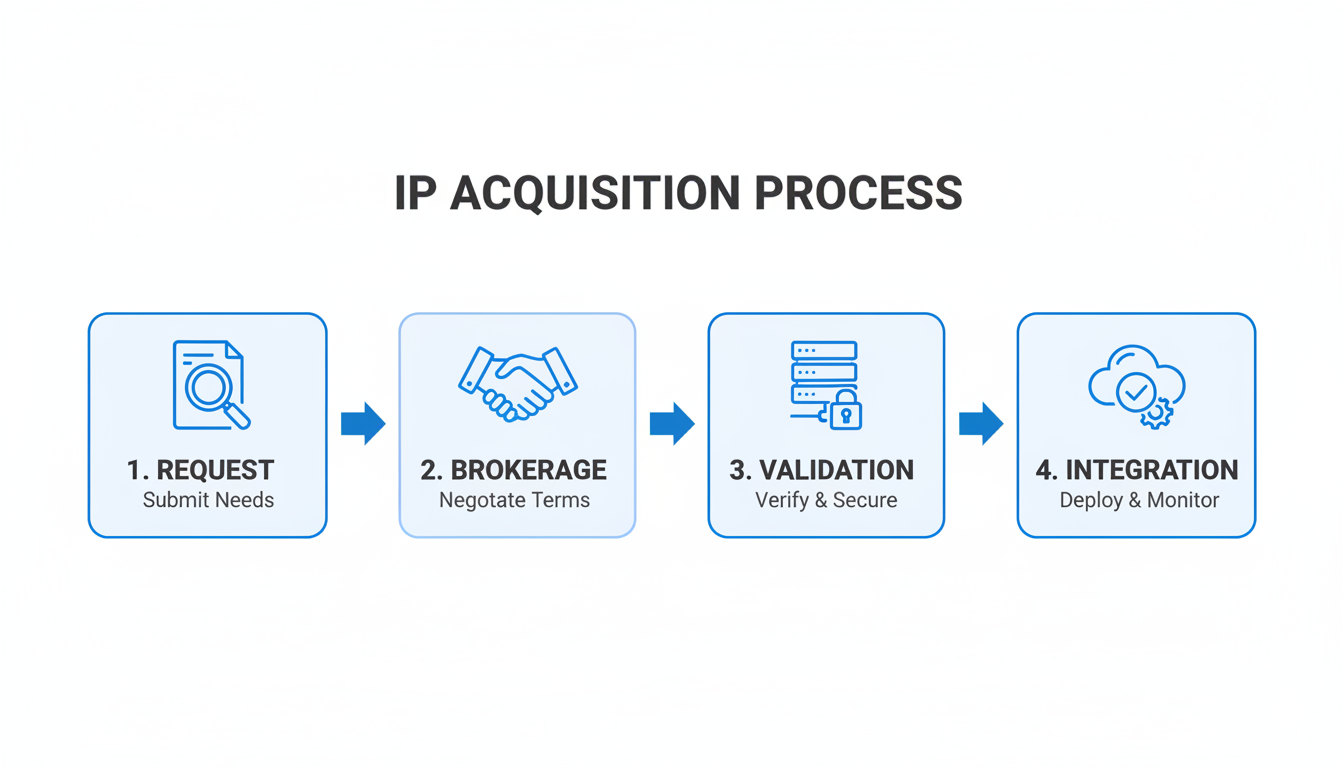
Global IPv4 address acquisition process showing automated systems and professional transfer coordination

The integration of automated processes has streamlined many aspects of IPv4 acquisition. From initial inventory searches to documentation preparation to transfer coordination, technology has reduced processing times and improved accuracy. However, the human element remains crucial for complex transactions, regulatory compliance, and quality assurance.

Looking at current market dynamics, we are in a unique position. Supply constraints are creating urgency while price stability is creating opportunity. Organizations that understand these dynamics and work with experienced professionals can secure quality IPv4 addresses at reasonable prices. But the window for optimal conditions may be narrowing as infrastructure funding programs and continued supply tightening begin influencing market behavior.

How Companies Make IPv4 Buying Decisions: What I Have Learned

Through my daily interactions with clients across diverse industries – from cybersecurity firms in Germany to hosting providers in various regions – I have observed distinct patterns in how organizations approach IPv4 acquisition decisions. Understanding these decision-making frameworks is crucial because the IPv4 market rewards strategic thinking and punishes reactive purchasing.

The Strategic Assessment Framework

The most successful clients follow what I call a “strategic assessment framework” that balances immediate needs with long-term planning. This typically begins with:

  1. A comprehensive audit of current IPv4 usage
  2. Projected growth requirements analysis
  3. Budget constraints evaluation

Organizations that skip this foundational step often end up either over-purchasing (tying up capital unnecessarily) or under-purchasing (requiring additional acquisitions at potentially higher prices).

About the AuthorVladislava Shadrina is a Customer Account Manager at InterLIR Marketplace, specializing in client relations and guiding organizations through the complexities of IPv4 acquisitions with a focus on strategic, cost-effective solutions. Based in Tbilisi, Georgia, she leverages her background in architecture and her passion for community engagement to foster informed decision-making in the IP resource market.

New Charging Scheme Insights: What IPv4 Experts Need to Know Now

Navigating the Evolving Landscape of RIPE NCC Charging Schemes: A Technical Analysis from the Frontlines

Image 1

As someone who has guided over 200 clients through IPv4 acquisitions and policy changes at InterLIR, I’ve witnessed firsthand how RIPE NCC’s charging decisions ripple through the networking ecosystem. Last month, a Berlin-based cybersecurity firm faced an unexpected 32% budget increase due to changes in ASN fees – a scenario becoming increasingly common under evolving resource management frameworks. This analysis examines the structural shifts in RIPE NCC’s charging philosophy, their technical and economic implications, and strategic approaches for organizations navigating this transformed landscape.

Historical Context: From Simple Fees to Complex Resource Economics

Image 2

The charging scheme’s evolution mirrors the Internet’s resource scarcity challenges. In 2008, when IPv4 allocations entered their final phase, the RIPE NCC maintained a flat €1,550 annual fee with simple category distinctions. A Turkish hosting provider we worked with in 2015 operated comfortably under this model, managing 18 /24 blocks without separate ASN charges. The 2024 proposal rejection marked a turning point – members pushed back against complex category models, demanding more transparent cost structures.

This resistance led to the August 2024 formation of the Charging Scheme Task Force, comprising 12 members, 3 board representatives, and 2 staff members. Their draft report (April 2025) introduces principles fundamentally altering how resources are valued:

  1. Cost Transparency: Direct linking of fees to specific resource types
  2. Usage Proportionality: Tiered pricing based on combined IPv4/IPv6 holdings
  3. Market Responsiveness: Annual adjustments reflecting transfer market values

A Spanish SaaS company’s experience illustrates this shift. Holding 5 legacy ASNs and 3 /22 IPv4 blocks, their 2024 fees jumped 40% under the new ASN charges, forcing a strategic resource consolidation.

Structural Analysis of the 2025 Charging Framework

Image 3

Core Components

  • Base LIR fee: €1,800 (+16% from 2024)
  • Independent resource charge: €75 per assignment (+50%)
  • ASN-specific fee: €50 per assignment (new)

Scoring Formula
The resource weighting algorithm now incorporates:
( S = \sum_{i=1}^{N} (a_i \times t_i) + 0.75^{y} \times ASN_{count} )
Where:

  • ( a_i ) = Resource type multiplier (1.0 for IPv4, 0.6 for IPv6)
  • ( t_i ) = Time decay factor (year of allocation – 1992)
  • ( y ) = Years since ASN assignment

For a typical member with:

  • 2 /24 IPv4 blocks (2010 allocation)
  • 1 /32 IPv6 allocation (2020)
  • 3 ASNs (2022)

The score calculation would be:
( (2 \times 28) + (1 \times 0.6 \times 33) + (0.75^{3} \times 3) = 56 + 19.8 + 1.3 = 77.1 )

This score places them in Tier 3 (€2,850-€3,200), demonstrating how historical allocations impact current costs.

Industry Decision-Making Processes: Behind the Scenes

The 12-member task force’s composition reveals critical stakeholder priorities:

  • Network Operators (6 seats): Focused on cost predictability
  • Enterprise Users (3 seats): Emphasized service bundling
  • Legacy Holders (2 seats): Pushed for grandfathering clauses
  • Board Members (1 seat): Balanced budgetary needs

A recent survey of 150 InterLIR clients showed:

  • 68% prioritize fee stability over perfect proportionality
  • 22% demand radical restructuring of legacy costs
  • 10% advocate complete cost decoupling from holdings

This tension manifests in the draft’s compromise position:
“Fees should reflect resource utility while maintaining cross-subsidization for critical infrastructure services.”

Strategic Implications for Network Operators

The image would illustrate a decision matrix comparing four IPv4 management strategies under the new charges: retention, transfer, leasing, and consolidation.

Optimization Strategies

  1. ASN Rationalization: A Brazilian telecom reduced 14 ASNs to 5 through BGP optimization, saving €450 annually
  2. IPv4 Lease-Back: Dutch hosting provider generates €18k/year leasing unused /24 blocks while maintaining ownership
  3. Temporal Analysis: Tools like RIPE Atlas data help predict fee impacts of allocation dates

Cost Projection Model

Resource Type 2024 Cost 2025 Projected Δ%
Base LIR €1,550 €1,800 +16
IPv4 PI €50 €75 +50
ASN €50 N/A

A Munich-based MSP’s simulation shows:

  • 2024 Total: €2,100 (3 PI assignments)
  • 2025 Projected: €2,475 (+18%)
  • Post-optimization: €2,150 through ASN reduction

Future Outlook and Operational Recommendations

The charging evolution signals deeper changes in Internet governance economics. Three emerging trends demand attention:

  1. Secondary Market Integration: Expect fee structures to incorporate transfer market indices by 2026
  2. Dynamic Pricing Models: Machine learning algorithms could enable real-time fee adjustments
  3. Geographic Cost Differentiation: Preliminary discussions suggest regional cost multipliers

For network operators, immediate priorities include:

  • Conduct comprehensive resource audits
  • Implement monitoring for temporal decay factors
  • Evaluate hybrid ownership/leasing models

As RIPE NCC members finalize the charging principles this May, the fundamental question remains: How to balance equitable resource access with sustainable funding for critical Internet infrastructure? The answer will shape network economics for the next decade.

About the Author

I’m Vlada Shadrina, Customer Account Manager at InterLIR Marketplace, where I’ve guided 200+ clients through IPv4 acquisitions and policy transitions. My work revolves around demystifying RIPE NCC’s evolving frameworks, helping organizations balance technical needs with financial realities—much like my architectural training taught me to merge structure with practicality. At InterLIR, I champion community-driven solutions, ensuring clients navigate resource economics with the same precision I once applied to spatial design.

How MPLS Works with IP Address Allocation in Enterprise Networks

Multiprotocol Label Switching (MPLS) is a highly efficient networking technology that enhances data flow within enterprise networks. By integrating with IP address allocation, MPLS provides improved traffic engineering, scalability, and reliability. Understanding how MPLS interacts with IP address allocation is essential for optimizing enterprise network performance and supporting modern business needs.

This article explores the fundamentals of MPLS, its role in enterprise networks, and its integration with IP address allocation.

What is MPLS?

MPLS is a data forwarding technology that uses labels instead of IP addresses to route packets within a network. This approach increases speed and efficiency by predefining paths for traffic, avoiding traditional routing complexities.

Key Features of MPLS:

  • Label Switching: Packets are routed based on labels rather than IP headers.
  • Traffic Engineering: Optimizes data flow and reduces congestion.
  • Protocol Independence: Works with IPv4, IPv6, and other network protocols.

How MPLS Works:

  1. Packet Labeling: Packets are assigned a label at the ingress router.
  2. Label-Switched Path (LSP): A predefined path through the MPLS network is established.
  3. Forwarding by Labels: Packets are forwarded based on their labels until they reach the egress router.
  4. Label Removal: The egress router removes the label, and the packet continues to its destination.

The Role of IP Address Allocation in MPLS Networks

While MPLS relies on labels for packet forwarding, IP addresses remain crucial for network design, management, and end-device communication.

Key IP Addressing Concepts in MPLS:

  • Edge Routers: IP addresses are used to communicate with devices outside the MPLS network.
  • Internal Communication: MPLS routes traffic within the network using labels, reducing reliance on IP addresses for core routing.
  • Address Planning: Efficient IP address allocation ensures seamless MPLS operation.

Benefits of MPLS and IP Address Integration

BenefitDescription
Improved PerformanceLabels streamline packet forwarding, reducing delays and bottlenecks.
ScalabilitySupports large-scale networks with diverse IP subnets.
Traffic SegmentationCombines MPLS labels with IP subnets for secure and isolated traffic.
Simplified ManagementReduces complexity in routing tables while leveraging IP for endpoint communication.

How MPLS Handles IP Address Allocation

1. IP Allocation for Edge Devices

  • Edge routers assign IP addresses to devices communicating with the MPLS network.
  • These addresses are critical for initial packet labeling and delivery to the MPLS domain.

2. IP Allocation for Subnets

  • MPLS networks often serve multiple subnets. Proper IP address planning ensures:
    • Avoidance of conflicts.
    • Simplified routing between MPLS and non-MPLS areas.

3. Overlapping IP Address Spaces

  • MPLS Virtual Private Networks (VPNs) allow overlapping IP spaces by using labels for differentiation.
  • This enables multi-tenant environments without address conflicts.

4. Address Translation and NAT

  • MPLS can integrate with Network Address Translation (NAT) to manage external communications effectively.
  • NAT ensures private IP ranges within MPLS remain secure while enabling internet access.

Comparing MPLS and Traditional IP Routing

AspectTraditional IP RoutingMPLS
Routing MechanismUses IP headers for forwarding decisionsUses labels for faster forwarding
PerformanceSlower due to routing table lookupsFaster with pre-established LSPs
ScalabilityLimited by routing table sizeHighly scalable with label-based paths
Traffic EngineeringMinimal control over traffic flowAdvanced control with LSPs

Challenges in MPLS with IP Address Allocation

1. IP Address Exhaustion

  • Challenge: Limited IPv4 space can complicate IP allocation in large MPLS networks.
  • Solution: Transition to IPv6 for greater address availability.

2. Complex Network Design

  • Challenge: Integrating MPLS with multiple IP subnets requires meticulous planning.
  • Solution: Use hierarchical IP addressing schemes to simplify management.

3. Address Overlaps in VPNs

  • Challenge: Overlapping IP addresses in multi-tenant MPLS environments can cause conflicts.
  • Solution: Employ label-based VPNs to isolate traffic effectively.

Best Practices for Integrating MPLS with IP Address Allocation

  1. Plan IP Addressing Strategically:
    • Use structured IP schemes to support future growth and reduce conflicts.
  2. Transition to IPv6:
    • Adopt IPv6 for its expanded address space and compatibility with MPLS.
  3. Implement Traffic Engineering:
    • Use MPLS’s traffic engineering capabilities to optimize resource usage.
  4. Monitor and Audit:
    • Regularly review IP allocations and MPLS configurations to identify inefficiencies.
  5. Leverage Automation:

Conclusion

MPLS and IP address allocation work together to enhance enterprise network performance, scalability, and security. By leveraging MPLS’s label-based routing and efficient IP address planning, organizations can optimize their network infrastructure for modern demands. With careful implementation and adherence to best practices, MPLS-enabled networks can deliver unparalleled reliability and flexibility, supporting diverse enterprise needs.

The Importance of Reverse DNS in IP Address Networking

Reverse DNS (rDNS) is a vital yet often overlooked aspect of IP address networking. Unlike traditional DNS, which resolves domain names to IP addresses, rDNS resolves IP addresses back to their associated domain names. This process is crucial for verifying the legitimacy of online entities, improving email deliverability, and enhancing network security.

This article explores the importance of reverse DNS, its practical applications, and how to implement it effectively.

What is Reverse DNS?

Reverse DNS (rDNS) is a method of resolving an IP address to its corresponding domain name. It operates as the inverse of standard DNS, which maps domain names to IP addresses.

How Reverse DNS Works:

  1. Query Initiation: A reverse DNS query is initiated using the IP address.
  2. Pointer Record (PTR): The rDNS lookup retrieves the PTR record for the IP.
  3. Domain Resolution: The PTR record contains the domain name associated with the IP.

Key Components:

  • PTR Record: Stored in the DNS database, linking an IP address to a domain.
  • In-Addr.arpa Domain: Used for IPv4 reverse lookups.
  • IP6.arpa Domain: Used for IPv6 reverse lookups.

Why is Reverse DNS Important?

Reverse DNS plays a crucial role in various networking functions. Here’s why it matters:

1. Email Deliverability

  • Issue: Many email servers use rDNS to verify the legitimacy of incoming emails. An IP address without a valid PTR record is often flagged as spam.
  • Solution: Configuring rDNS ensures emails sent from your server are less likely to be rejected.

2. Network Security

  • Issue: Attackers often use spoofed IPs. rDNS can help identify suspicious traffic by mapping IPs to known domains.
  • Solution: Regularly monitor rDNS to validate traffic origins.

3. Troubleshooting and Network Diagnostics

  • Issue: Identifying devices on a network can be challenging without rDNS.
  • Solution: rDNS simplifies diagnostics by resolving IPs to human-readable names.

4. Compliance and Reporting

  • Issue: Regulatory requirements often mandate proper DNS and rDNS configurations.
  • Solution: Ensuring rDNS compliance aids in meeting audit standards.

How Reverse DNS Differs from Forward DNS

FeatureForward DNSReverse DNS
PurposeResolves domain to IPResolves IP to domain
DNS Record TypeA or AAAA RecordPTR Record
Common Use CaseWeb browsingEmail verification, diagnostics
ConfigurationManaged by domain ownerManaged by IP owner (ISP or admin)

Steps to Configure Reverse DNS

1. Verify IP Ownership

  • Ensure you have control over the IP address or block.
  • Contact your ISP if the IP is part of their allocated range.

2. Add a PTR Record

  • Access the DNS management system.
  • Create a PTR record that links the IP address to the domain name.

3. Test the Configuration

  • Use tools like nslookup or online rDNS checkers to verify the setup.
  • Example command:
    nslookup 192.0.2.1

4. Monitor and Maintain

  • Regularly review PTR records for accuracy.
  • Update rDNS entries when changing domains or servers.

Challenges in Implementing Reverse DNS

1. ISP Control

  • Challenge: Many ISPs retain control over IP blocks, limiting your ability to configure rDNS.
  • Solution: Request delegation rights or coordinate with the ISP.

2. Misconfigured Records

  • Challenge: Incorrect PTR records can lead to failed lookups.
  • Solution: Double-check all configurations and test thoroughly.

3. IPv6 Complexity

  • Challenge: Larger address space in IPv6 makes rDNS more complex.
  • Solution: Automate IPv6 PTR record creation with specialized tools.

Tools for Managing Reverse DNS

ToolPurposeKey Features
nslookupTests DNS and rDNS resolutionCommand-line tool
Reverse IP LookupVerifies PTR recordsOnline checkers
SolarWinds IPAMManages IP and DNS configurationsAutomates PTR record updates
BIND DNSConfigures DNS and rDNSSupports advanced DNS setups

Best Practices for Reverse DNS Management

  1. Ensure Accurate Records:
    • Regularly verify PTR records for correctness.
  2. Work Closely with ISPs:
    • Coordinate with ISPs to configure rDNS for assigned IP blocks.
  3. Automate Updates:
    • Use tools to automate PTR record updates, especially for dynamic IP ranges.
  4. Integrate with Forward DNS:
    • Maintain consistency between A/AAAA and PTR records.
  5. Monitor Performance:
    • Use monitoring tools to identify rDNS-related issues.

Conclusion

Reverse DNS is a critical component of IP address networking, enhancing email deliverability, improving security, and aiding in network diagnostics. By understanding its importance and following best practices, administrators can ensure a robust and reliable network infrastructure. Whether managing email servers or securing a corporate network, proper rDNS configuration is an essential step toward effective network management.

Advanced Troubleshooting for DHCP-Related Issues

Dynamic Host Configuration Protocol (DHCP) is a cornerstone of modern networking, simplifying the assignment of IP addresses and other network configurations. However, when DHCP malfunctions, it can lead to connectivity disruptions and network inefficiencies. Advanced troubleshooting techniques are essential to diagnose and resolve DHCP-related issues effectively.

This article explores common DHCP problems, advanced troubleshooting methods, and best practices for maintaining a healthy DHCP environment.

Understanding DHCP and Its Importance

DHCP automates the assignment of IP addresses, subnet masks, gateways, and DNS servers to devices on a network. Without DHCP, administrators would need to manually configure each device, a time-consuming and error-prone process.

Key Functions of DHCP:

  • IP Address Allocation: Automatically assigns IP addresses from a predefined pool.
  • Lease Management: Tracks active IP addresses and reclaims unused ones.
  • Configuration Distribution: Provides devices with critical network settings.

Common DHCP-Related Issues

1. IP Address Conflicts

  • Cause: Two devices assigned the same IP address.
  • Impact: Network connectivity issues for both devices.

2. DHCP Server Unreachable

  • Cause: Network misconfigurations or server downtime.
  • Impact: Devices fail to obtain IP addresses.

3. DHCP Scope Exhaustion

  • Cause: All available IP addresses in the scope are in use.
  • Impact: New devices cannot join the network.

4. Incorrect Configuration

  • Cause: Misconfigured DHCP settings (e.g., wrong gateway or DNS server).
  • Impact: Devices experience connectivity or resolution issues.

5. Rogue DHCP Servers

  • Cause: Unauthorized devices acting as DHCP servers.
  • Impact: Devices receive incorrect configurations.

Advanced Troubleshooting Techniques

1. Verifying DHCP Server Status

  • Tool: Use ping or management software to check server availability.
  • Steps:
    1. Ping the DHCP server to ensure it is reachable.
    2. Use server logs to check for errors or downtime.

2. Analyzing Network Traffic

  • Tool: Wireshark or tcpdump
  • Steps:
    1. Capture DHCP traffic to identify issues like timeouts or incorrect responses.
    2. Look for DHCP Discover, Offer, Request, and Acknowledge (DORA) sequence.

3. Checking Scope Configuration

  • Tool: DHCP Management Console or CLI tools.
  • Steps:
    1. Verify the IP address range and ensure it matches network requirements.
    2. Check for reserved IPs that might limit available addresses.

4. Resolving IP Conflicts

  • Tool: ARP table or IP conflict detection tools.
  • Steps:
    1. Use the arp -a command to identify conflicting MAC addresses.
    2. Manually reassign conflicting IPs or adjust the DHCP scope.

5. Identifying Rogue DHCP Servers

  • Tool: Network scanners or DHCP snooping.
  • Steps:
    1. Scan the network for unauthorized DHCP servers.
    2. Enable DHCP snooping on switches to block rogue devices.

Comparing Troubleshooting Tools

ToolPurposeKey Features
WiresharkPacket analysisMonitors DHCP traffic and errors
DHCP Management ConsoleScope and server configurationVerifies settings and lease usage
tcpdumpCommand-line packet captureAnalyzes network-level issues
SolarWinds IPAMIP address managementAutomates IP conflict detection
Network ScannersRogue DHCP server detectionIdentifies unauthorized DHCP devices

Best Practices for DHCP Management

  1. Plan IP Address Allocation:
    • Design subnets and scopes to prevent exhaustion and conflicts.
  2. Enable Redundancy:
    • Use failover DHCP servers to ensure availability during outages.
  3. Implement Security Measures:
    • Use DHCP snooping and VLANs to block rogue DHCP servers.
  4. Monitor Usage:
    • Regularly review lease reports to identify potential issues.
  5. Automate Management:
    • Leverage IPAM tools to simplify DHCP configuration and monitoring.

Troubleshooting Example: Scope Exhaustion

Scenario:

Devices on a network fail to obtain IP addresses, and the DHCP logs show that all addresses are in use.

Steps to Resolve:

  1. Analyze Current Leases:
    • Check active leases to identify unused addresses.
    • Manually release unused addresses if necessary.
  2. Extend the Scope:
    • Increase the range of available IP addresses if possible.
  3. Implement Address Reuse:
    • Reduce lease duration to reclaim unused IPs faster.
  4. Segment the Network:
    • Create additional subnets to distribute the load.

Conclusion

Advanced troubleshooting of DHCP-related issues requires a thorough understanding of networking principles and the right tools. By proactively monitoring your DHCP environment, implementing best practices, and using the techniques outlined in this guide, you can minimize disruptions and ensure smooth network operations. Regular audits and automated management tools will help maintain a reliable and efficient DHCP infrastructure.

A Beginner’s Guide to Subnetting IPv4 and IPv6 Addresses (2026 Update)

A Beginner’s Guide to Subnetting IPv4 and IPv6 Addresses

Subnetting is a critical skill for network administrators and IT professionals, allowing them to efficiently allocate IP address space and enhance network performance. Whether you’re working with IPv4 or transitioning to IPv6, understanding subnetting is key to optimizing your network. This guide breaks down subnetting for both IPv4 and IPv6 addresses, providing a step-by-step approach to mastering the basics.

What is Subnetting?

Subnetting is the process of dividing a larger IP network into smaller, more manageable sub-networks (subnets). This improves network efficiency, reduces congestion, and enhances security by isolating different segments of the network.

Benefits of Subnetting

  • Efficient IP Utilization: Maximizes the use of available IP address space
  • Enhanced Security: Segments the network to restrict unauthorized access
  • Improved Performance: Reduces broadcast traffic by isolating subnets
  • Simplified Management: Makes troubleshooting and network planning easier

Subnetting IPv4 Addresses

IPv4 uses a 32-bit address format, divided into four octets (e.g., 192.168.1.1). Each address includes a network portion and a host portion, separated by a subnet mask.

Key Terms

  • Subnet Mask: Determines how the IP address is divided into network and host portions (e.g., 255.255.255.0)
  • CIDR Notation: A shorthand for representing the subnet mask (e.g., /24)
  • Block Size: The number of addresses in each subnet

Steps to Subnet an IPv4 Address

  1. Determine Requirements:
    • How many subnets are needed?
    • How many hosts per subnet?
  2. Calculate Subnet Mask:
    • Use the formula: 2^n ≥ Number of Hosts, where n is the number of host bits
    • Subtract n from 32 to find the CIDR notation
  3. Assign Subnets:
    • Divide the address range into equal parts based on the subnet mask

Example

  • Given Address: 192.168.1.0/24
  • Subnet Requirement: 4 subnets
  • Calculation:
    • 2^2 = 4, so 2 additional bits are used for subnetting
    • New subnet mask: /26 (255.255.255.192)
  • Resulting Subnets:
    • 192.168.1.0 – 192.168.1.63
    • 192.168.1.64 – 192.168.1.127
    • 192.168.1.128 – 192.168.1.191
    • 192.168.1.192 – 192.168.1.255


<iframe width=”560″ height=”315″ src=”https://www.youtube.com/embed/QKjgwJUZtUI?si=KodaUfimASxdwJjU” title=”YouTube video player” frameborder=”0″ allow=”accelerometer; autoplay; clipboard-write; encrypted-media; gyroscope; picture-in-picture; web-share” referrerpolicy=”strict-origin-when-cross-origin” allowfullscreen></iframe>

Subnetting IPv6 Addresses

IPv6 uses a 128-bit address format, vastly increasing the available address space. Subnetting in IPv6 is simpler than IPv4, as it primarily uses CIDR notation.

Key Differences from IPv4

  • No Broadcast Addresses: IPv6 uses multicast instead of broadcast
  • Larger Address Space: Eliminates the need for NAT
  • Standard Subnet Size: A /64 subnet is the default for most networks

Steps to Subnet an IPv6 Address

  1. Understand the Address Structure:
    • An IPv6 address is divided into eight 16-bit blocks (e.g., 2001:db8::/32)
    • The first part represents the network, while the rest is for hosts
  2. Determine the Prefix Length:
    • Similar to IPv4, the prefix length defines the network portion (e.g., /64)
  3. Divide the Address:
    • Increment the subnet ID to create additional subnets

Example

  • Given Address: 2001:db8::/32
  • Subnet Requirement: 4 subnets
  • Calculation:
    • Increase the prefix length by 2: /34
  • Resulting Subnets:
    • 2001:db8:0::/34
    • 2001:db8:4::/34
    • 2001:db8:8::/34
    • 2001:db8:c::/34

Comparing IPv4 and IPv6 Subnetting

IPv4 vs IPv6 Subnetting Comparison
Feature IPv4 Subnetting IPv6 Subnetting
Address Length 32-bit 128-bit
Subnet Mask Format Dotted Decimal (e.g., 255.255.255.0) CIDR Notation (e.g., /64)
Address Space Limited (4.3 billion addresses) Virtually Unlimited
Ease of Subnetting Requires manual calculation Simpler with standardized /64 subnets
Broadcast Traffic Supported Not Applicable

Common Challenges in Subnetting

1. Calculating Subnets

  • Challenge: Determining the correct subnet mask and number of hosts
  • Solution: Use online subnet calculators or subnetting charts

2. Address Wastage

  • Challenge: Over-allocating addresses in IPv4 due to limited space
  • Solution: Plan subnets carefully and transition to IPv6 where possible

3. Human Errors

  • Challenge: Misconfigurations due to manual calculations
  • Solution: Automate configurations using IP management tools

Tools for Subnetting

Popular Subnetting Tools
Tool Purpose Features
IP Calculator Simplifies subnet calculations Supports both IPv4 and IPv6
Wireshark Analyzes network traffic Verifies subnet configurations
SolarWinds IPAM Manages IP address allocations Automates subnetting processes
Subnet Mask Cheat Sheet Provides quick references Useful for manual calculations

Best Practices for Subnetting

  1. Plan Ahead:
    • Assess current and future network requirements
  2. Transition to IPv6:
    • Take advantage of IPv6’s scalability to reduce IP constraints
  3. Use Tools:
    • Leverage subnet calculators and IP management software to minimize errors
  4. Document Configurations:
    • Maintain clear records of subnet allocations for troubleshooting and scalability

Conclusion


Subnetting is a fundamental skill for managing modern networks efficiently. While IPv4 subnetting requires careful planning and calculations, IPv6 simplifies the process with its vast address space and standardized practices. By understanding the basics, using the right tools, and following best practices, you can optimize your network’s performance and scalability, ensuring it meets current and future demands.

Partner with InterLIR to secure the IPv4 resources your network demands. Our specialists provide tailored guidance on network architecture, strategic subnetting approaches, and comprehensive IP address lifecycle management—transforming technical complexity into competitive advantage.


Frequently Asked Questions

A subnet mask is a 32-bit number written in dotted decimal format (e.g., 255.255.255.0) that determines which portion of an IP address belongs to the network and which belongs to the host. CIDR notation is a shorthand method that represents the subnet mask as a slash followed by the number of network bits (e.g., /24). Both represent the same concept, but CIDR notation is more compact and commonly used in modern networking documentation and configurations.

To calculate the number of subnets, use the formula 2^n, where n is the number of bits borrowed from the host portion for subnetting. For example, if you borrow 2 bits from a /24 network, you can create 2^2 = 4 subnets. Each borrowed bit doubles the number of possible subnets, but reduces the number of available host addresses per subnet proportionally.

IPv6 subnetting is simpler because of its vast address space (128 bits vs. 32 bits), eliminating the need for complex calculations to conserve addresses. Most networks use a standard /64 subnet size, which provides 18 quintillion host addresses per subnet—more than enough for any use case. This standardization reduces planning complexity and removes concerns about address exhaustion that drive complex IPv4 subnetting strategies.

In enterprise environments, four subnet sizes dominate network architecture: /24 (256 addresses) for departmental networks, /26 (64 addresses) for team segments, /28 (16 addresses) for small device clusters, and /30 (4 addresses) for dedicated point-to-point links. These sizes balance address allocation efficiency with practical network segmentation needs.

Always validate subnet calculations against reference guides before implementing network changes in live environments. Use automated IP management tools to prevent manual calculation errors, document all subnet allocations clearly, and test configurations in a lab environment first. A single miscalculation can cascade into significant connectivity issues, so double-checking subnet masks, gateway addresses, and address ranges is essential before deployment.