



bgunderlay bgunderlay bgunderlay
123

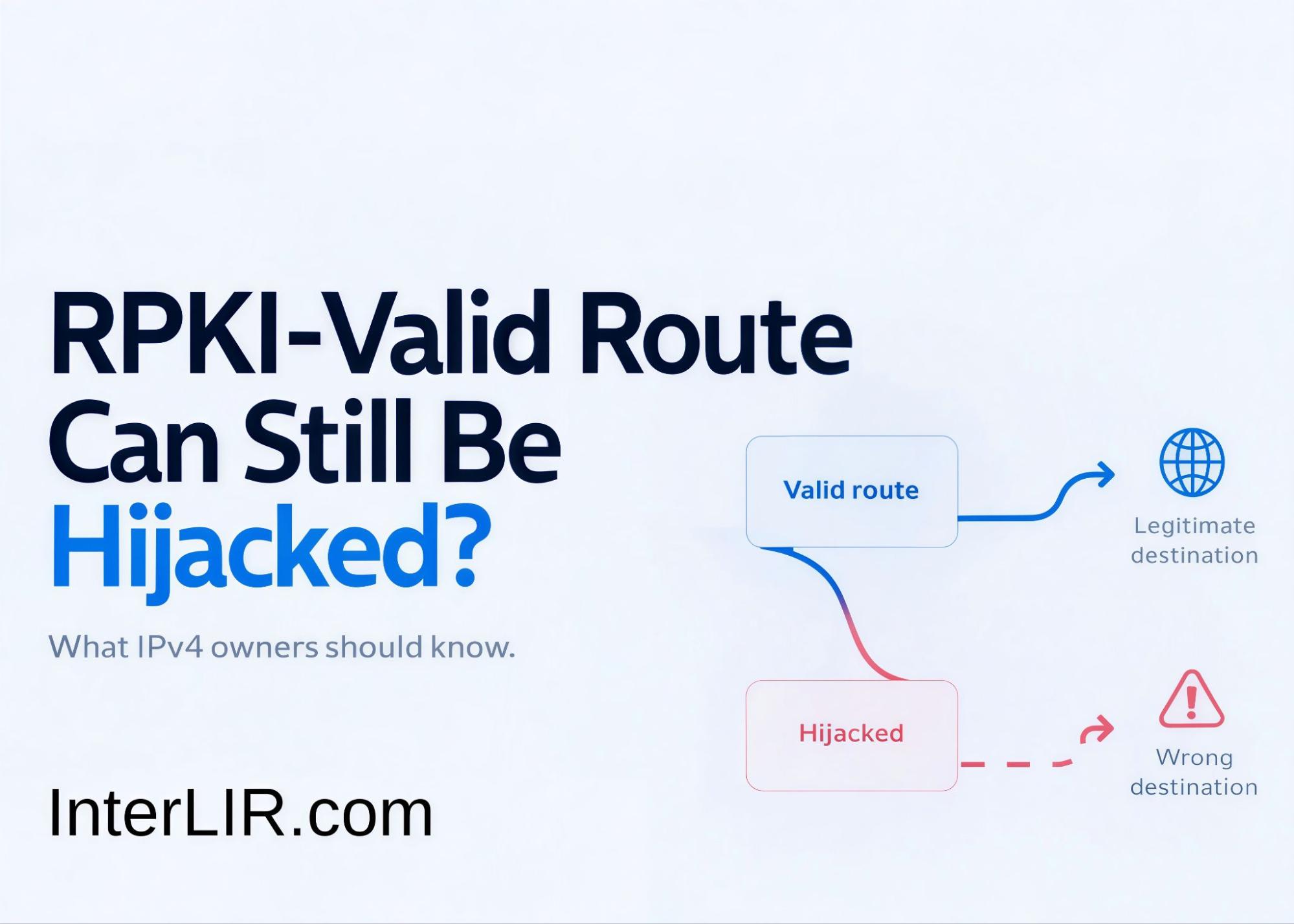
Can an RPKI-Valid Route Still Be Hijacked? What IPv4 Owners Should Know

Your IPv4 prefix has a valid ROA. Your monitoring dashboard shows RPKI: Valid. Does that mean the route is safe? Not necessarily.

In August 2026, infrastructure used by Softaculous and Virtualizor was affected by a BGP hijack in which a more-specific /24 was announced inside a legitimate /16. Traffic was redirected to attacker-controlled infrastructure during two separate periods between August 28 and 30. The incident also enabled the attacker to obtain valid TLS certificates and contributed to a malicious Virtualizor update reaching a small number of installations. The unusual part was that the malicious route was still considered RPKI-valid.

Key takeaway: RPKI-valid does not automatically mean route-trusted.

For IPv4 owners, lessees and network operators, the incident shows why routing security needs to go beyond checking whether a route simply passes Route Origin Validation.

What Happened During the Softaculous BGP Hijack?

At approximately 20:57 UTC on August 28, 2026, a new BGP announcement appeared for: 162.55.80.0/24 That prefix sits inside the larger: 162.55.0.0/16 normally originated by Hetzner Online through AS24940. The affected /24 contained addresses used by Softaculous infrastructure, including software update systems and client-facing services. Softaculous reported two periods of incorrect routing:

Incident period Start End
First period August 28, ~20:57 UTC August 29, ~08:50 UTC
Second period August 29, ~20:57 UTC August 30, ~06:10 UTC

During these periods, traffic intended for legitimate Softaculous systems could instead be routed toward attacker-controlled infrastructure.

Why Did the /24 Override the Legitimate /16?

The reason is a fundamental rule of IP forwarding: the most-specific matching prefix normally wins. A router that sees both of the following routes will generally prefer the /24 for addresses inside that smaller range:

Route Role What happens
162.55.0.0/16 Legitimate route Covers the larger address range
162.55.80.0/24 More-specific route Preferred for traffic inside the /24

The attacker therefore did not need to replace or hijack the entire /16. A single more-specific /24 could attract traffic for the systems located inside that range. LACNIC’s technical analysis described the event as a more-specific hijack of Hetzner’s normal /16 announcement.

How a More-Specific Prefix Redirects Traffic

Normal routing

162.55.0.0/16 announced by the legitimate network

Traffic follows the /16

Legitimate infrastructure receives the traffic

During the hijack

162.55.80.0/24 appears as a more-specific route

Traffic for 162.55.80.x follows the /24

Traffic can be redirected

Caption: BGP forwarding prefers the more-specific /24 over the /16 for addresses inside that range.

How Could the Route Remain RPKI-Valid?

This is the most important part of the incident. The suspicious route was observed with an AS path resembling: … → AS6204 → AS62390 → AS24940 The rightmost ASN — the origin presented by the route — was AS24940, Hetzner’s legitimate ASN. The existing ROA also allowed prefixes within the /16 to be announced as specifically as /24. That meant two important Route Origin Validation checks succeeded:

RPKI check What the route showed Result
Is the origin ASN authorized? Origin appeared as AS24940 ✓ Valid
Is the prefix length authorized? /24 was permitted ✓ Valid
Is the complete AS path legitimate? Standard ROV does not verify this Not checked

The result was therefore:

RPKI status: Valid

The route passed origin validation even though the surrounding BGP path was associated with the hijack.

What Does Route Origin Validation Actually Check?

ROV essentially asks:

Is this ASN authorized to originate this IP prefix?

It does not prove that every autonomous system appearing earlier in the AS path represents a legitimate routing relationship. That distinction matters. An attacker who can make the authorized ASN appear in the origin position may be able to create a route that passes origin validation even though the route itself is malicious.

Why the Hijacked Route Was RPKI-Valid

ROA authorization

Prefix: 162.55.0.0/16

Authorized origin: AS24940

More-specifics allowed to /24

—

Hijacked announcement

Prefix: 162.55.80.0/24

Apparent origin: AS24940

Prefix length: /24

Path included unexpected ASes before the origin

Validation result
✓ Origin ASN matched
✓ Prefix length matched ✓ RPKI VALID
But:
 the complete AS path was not validated by ordinary ROV.

Should you set maxLength in your ROA?

The incident also shows why ROA configuration matters. A ROA can authorize a larger prefix while using maxLength to permit more-specific announcements. For example:

Configuration Prefix Origin ASN maxLength
Broader authorization 203.0.0.0/16 AS64500 /24
Exact authorization 203.0.0.0/16 AS64500 /16

With the first configuration, the ASN can originate more-specific prefixes down to /24 and have them pass Route Origin Validation. That may be operationally useful when the network actually advertises those more-specific routes. But if those prefixes are never used, the authorization can be broader than necessary.

RFC 9319 recommends using minimal ROAs whenever possible and generally avoiding maxLength unless there is a specific operational need. The objective is to reduce the attack surface for forged-origin sub-prefix hijacks.

Following the Softaculous incident, Hetzner changed the ROA for 162.55.0.0/16 so that its maxLength became /16, removing the previous authorization for more-specific prefixes under that ROA.

A practical question for IPv4 owners

Does your ROA authorize more-specific prefixes that your network never actually announces?

If the answer is yes, your authorization may be broader than your current routing requirements.

Not sure your ROA matches what your network actually announces? Send us the prefix and ASN and we’ll compare the ROA, live announcement and IRR objects.

Support chat

How a BGP hijack leads to valid TLS certificates

The routing hijack was only the first stage. Softaculous reported that attacker-controlled infrastructure was able to obtain new TLS certificates for affected domains because certificate-validation traffic was also routed through the hijacked network path. The incident then affected Virtualizor’s update infrastructure. Softaculous confirmed that a malicious update reached a small number of Virtualizor installations. The sequence can be summarized like this:

Stage What happened
1. More-specific BGP route appears A /24 is announced inside the legitimate /16
2. Traffic is redirected Traffic for the affected range follows the /24
3. Certificate validation is affected Validation requests also follow the hijacked route
4. Valid TLS certificates are obtained The attacker can present trusted-looking HTTPS
5. Users and systems connect Connections may not trigger obvious certificate warnings
6. Software delivery is affected A malicious Virtualizor update reaches some installations

This shows why BGP security is not limited to routers. Internet routing sits beneath services such as:

  • TLS certificate validation;
  • software repositories;
  • APIs;
  • DNS infrastructure;
  • authentication endpoints;
  • customer portals;
  • payment and billing systems.

A routing compromise can therefore become the first step in a much broader infrastructure attack.

ASPA vs ROA: what’s the difference?

This is where ASPA — Autonomous System Provider Authorization — becomes relevant. ROA and ASPA address different parts of routing security.

ROA ASPA
Main purpose Validate route origin authorization Validate provider relationships
Connects IP prefix → authorized ASN Customer ASN → authorized providers
Main question Which ASN may originate the prefix? Which providers is the ASN authorized to use?
Helps identify Unauthorized origins Unexpected provider relationships
Deployment Established Still developing

After the incident, Hetzner also added an ASPA record identifying authorized providers for AS24940. According to the technical analysis, networks performing ASPA validation could use that information to reject paths containing an unauthorized upstream relationship such as the one observed in this event. ASPA does not replace ROAs. The mechanisms protect different parts of routing information.

ROA vs ASPA

Security layer — Question it helps answer

ROA

Is this ASN allowed to originate this prefix?

ROV

Does the current BGP origin match the ROA?

ASPA

Is this provider relationship authorized?

BGP monitoring

Has the prefix, origin or AS path changed unexpectedly?

A stronger routing-security model combines these signals rather than relying on only one of them.

What to check before announcing a leased IPv4 block

Before a newly leased IPv4 block is announced, the routing state should be checked against how the block will actually be used.

What to check What to verify before announcement Why it matters
Routing history Previous origins, more-specific announcements and unusual route changes Establishes whether the block has had unexpected routing activity
Authorized origin ASN The ASN that should originate the block in the new setup Prevents a mismatch between the intended origin and the ROA
ROA configuration Authorized ASN and permitted prefix length Ensures the ROA matches the actual announcement plan
IRR route objects Existing route objects and the ASN they reference Avoids stale routing records after operational control changes
Expected announcement size Whether the block will be announced as the full prefix or as approved more-specifics Helps avoid unnecessarily broad maxLength authorization
AS-path baseline Expected upstreams and normal path structure Makes unexpected provider or path changes easier to detect
Reputation and abuse history Current blocklist status and recent abuse history Identifies non-routing risks before production use
Geolocation Whether major geolocation databases reflect the intended region Reduces regional access and service issues after deployment

If the block moves to a different ASN, transit provider, cloud environment or BYOIP setup, update the relevant routing authorization and route objects before announcing it.

Registry ownership or lease status can remain correct while the routing configuration is still outdated. The operational check should therefore be performed against the planned live announcement, not only against registry data.

RPKI-Valid Does Not Mean Route-Trusted

The Softaculous incident demonstrated an important limitation of Route Origin Validation: the malicious /24 could satisfy the ROA because the apparent origin matched the authorized ASN and the ROA permitted that prefix length.

RPKI remains an important routing-security layer, but it answers a specific question about origin authorization. It does not validate the complete AS path. For IPv4 owners, lessees and operators, the practical conclusion is to keep ROAs precise and combine origin validation with route and path monitoring.

Do not stop your routing-security checks when a route says “RPKI Valid.”

Browse available IPv4 blocks by RIR and region on the InterLIR Marketplace.
Browse IPv4 Marketplace

Sources

Why IP Geolocation Can Be Wrong After an IPv4 Transfer

An IPv4 transfer changes registry data, but GeoIP providers may continue to show the old country. Learn which records matter and how to request corrections.

IP geolocation after an IPv4 transfer does not update everywhere at the same time. The Regional Internet Registry may show the new resource holder while a website, advertising platform or streaming service still assigns the block to its previous country. This can happen because registry records, routing data, operator-published geofeeds and commercial GeoIP databases are separate systems.

To correct an outdated location, the recipient should verify the RIR record, publish an accurate geofeed, check the live BGP announcement and submit evidence to the databases used by affected services. No single change can force every provider to update, and no broker can guarantee one universal correction date.

Why IP Geolocation After an IPv4 Transfer Can Be Wrong

An IPv4 address transfer changes the registration of an eligible prefix from a source organisation to a recipient organisation. It does not automatically rewrite every third-party database that has previously associated the prefix with a country, city, company or connection type.

GeoIP providers build their own datasets from multiple signals. These may include operator submissions, registry records, routing observations, network measurements, customer feedback and historical evidence. Providers use different sources, confidence rules and release schedules, so two current databases can return different answers for the same IP address.

A transfer can also be followed by a genuine change in deployment. A block previously used in one region may be deployed in another country or operated by a different network. Until providers obtain and process evidence of that change, historical location data can remain visible. However, a change of registered holder alone does not necessarily mean that the block’s geographic location has changed.

Why Does WHOIS Show the Right Country but the Website Still Shows the Wrong One?

RIR databases primarily document Internet number-resource registration and contacts. A country: value may describe an administrative or registration context rather than the physical location of every device using the prefix. It is therefore useful evidence, but it should not be treated as a definitive GeoIP record.

RFC 9632 explicitly distinguishes operator-published geofeed data from geographic hints in RIR objects. Under its discovery rules, consumers must disregard other geographic hints for the relevant address range, such as country: or geoloc:, when a geofeed is specified. This does not guarantee that every commercial provider will accept the declared location without its own checks.

The distinction matters for multinational networks, cloud infrastructure, leased address space and anycast services. The registered organisation may be in one country while users or infrastructure are distributed across several others.

Which Data Source Is My Service Actually Using: RIR, Geofeed or a GeoIP Vendor?

Source What it can show Updated by the transfer? How to correct it
RIR RDAP/WHOIS Registered holder, contacts, status and registry country data The holder record is updated through the RIR process Use the relevant RIR or sponsoring LIR procedure
Geofeed Operator-declared country, region and city by prefix Not automatically Publish an RFC 8805 geofeed and reference it through the registry’s supported mechanism
BGP Observed announcements, prefixes and origin ASNs No; routing must be reviewed separately Coordinate any required announcement changes, IRR objects and RPKI ROAs
Commercial GeoIP Vendor estimate of user or network location Not necessarily; providers process evidence independently Provide consistent evidence through each vendor’s correction channel
Online service The service’s own interpretation, API result or licensed database snapshot Not automatically Identify its data supplier or use the service’s reporting process
From transfer records to the location shown by an online service
1. RIR record
Holder and administrative data
REGISTRATION UPDATE
2. Geofeed
Operator-declared deployment location
OPERATOR-MAINTAINED
3. BGP / RPKI
Live origin and route authorisation
SEPARATE VERIFICATION
4. GeoIP vendor
Independent estimate and release cycle
INDEPENDENT PROCESSING
5. End service
Vendor feed, local database or cached API result
SERVICE-SPECIFIC UPDATES

The arrows show a practical review workflow, not automatic synchronisation or a mandatory data path. Registry, geofeed and routing checks can run in parallel. GeoIP vendors choose their own evidence sources, and online services control how they use and refresh the resulting data.

Step 1: Verify the Transfer and Registry Record

Start with the authoritative registration data for the prefix. Confirm that the transfer is complete, the recipient organisation is displayed correctly and the abuse and administrative contacts are current. If the block is subdivided for customers, make sure any permitted more-specific assignments or suballocations are also accurate.

Do not change a registry country field solely to influence a consumer website. The record should accurately reflect the purpose defined by the relevant RIR. An inconsistent or misleading registry object can make correction requests less credible rather than more effective.

Step 2: How to Create a Geofeed File (RFC 8805 Example)

RFC 8805 defines a CSV format for publishing IP location data: ip_prefix,alpha2code,region,city,postal_code. Use ISO 3166-1 alpha-2 country codes and ISO 3166-2 region codes. Only the prefix is required; leave unknown location fields empty. The postal-code field is deprecated and should remain empty.

Choose prefixes that accurately represent deployment. If parts of a /20 serve different countries, publish more-specific entries for those parts. There is no need to split a block further when the same location accurately applies throughout it.

Host the file at a stable HTTPS URL. Use the relevant registry’s supported mechanism to reference it. For RPSL objects, RFC 9632 prefers geofeed: where supported and also defines the remarks: Geofeed form.

RFC 9877 defines how geofeed links can be exposed through RDAP. Follow the relevant RIR’s procedure; do not assume that every registry offers the same field or interface.

Example geofeed entries

192.0.2.0/24,DE,DE-BE,Berlin,
198.51.100.0/25,ES,ES-M,Madrid,
198.51.100.128/25,ES,ES-B,Barcelona,

These are documentation prefixes; replace them with authorised networks and verified locations. Save the actual CSV as UTF-8 with CRLF line endings and one record per line, without a header row. The trailing commas preserve the empty postal-code field. The /25 entries describe location granularity, not a requirement to announce /25 routes separately in BGP.

Step 3: Do BGP and RPKI Affect IP Geolocation?

A correct geofeed can still conflict with the network’s live operation. Verify that the observed announcements match the agreed deployment and that the authorised origin ASN is visible. This may be the recipient’s ASN or an ASN operated by its hosting, transit or other authorised network provider. A transfer does not, by itself, require a change of origin ASN.

Coordinate the withdrawal of obsolete or unauthorised announcements where necessary. Confirm that the appropriate RPKI Route Origin Authorisations (ROAs) cover the intended origin ASN and announced prefix lengths, maintain accurate IRR route objects, and review reverse DNS and abuse contacts.

BGP does not prove a user’s physical country, and a ROA authorises route origination rather than geographic location. An ASN can operate globally, and traffic can traverse remote upstreams or Internet exchanges. An unchanged origin ASN or multiple origin ASNs are not automatically errors; investigate whether the announcements are authorised and consistent with the deployment described in the correction request.

RPKI updates pass through repository publication, validator refresh and router-cache synchronisation. RFC 8210 specifies a recommended default of 3,600 seconds (one hour) for a router to poll its RPKI cache; a cache notification can prompt an earlier query. This is not an end-to-end propagation deadline. Check the ROA’s publication and the observed validation state rather than assuming that every network will reflect the change within one or two hours. If a route is invalid, check the authorised ASN and prefix length as well as possible stale data.

An IRR change also has several stages: acceptance by the authoritative registry, replication to any mirrors, and use by an upstream provider’s route-filtering system. Their schedules differ. Confirm the object in the authoritative IRR, then check which database and filter-refresh process the transit provider actually uses.

Step 4: Submit Corrections to GeoIP Providers

Once you have verified the public records and deployment, check several databases using addresses from each deployed subprefix. Record the returned country, region, city, organisation and connection type where available. Prioritise providers that are known to supply the affected product; correcting an unrelated lookup site may have no impact.

MaxMind provides an official GeoIP location correction form for an IP or network. It reviews requests against multiple data sources and does not guarantee acceptance. IPinfo also maintains an IP geolocation correction channel. Submit the exact CIDR, verified deployment location, company-domain contact and supporting geofeed or registry links, following each provider’s requirements.

If Google products show the wrong country, use Google’s IP problem reporting process. Google states that updates may take more than a month and that it does not provide an individual follow-up. A submitted request is therefore not an immediate correction.

Step 5: How to Check If the Geolocation Fix Worked

A public GeoIP demo does not necessarily use the same database version, product tier or custom rules as the service experiencing the problem. Test the actual search engine, payment gateway, advertising platform, content service or customer application affected by the error.

Use several addresses from the prefix and repeat tests from fresh sessions where appropriate. Confirm which public IP the service actually sees, especially when a VPN, proxy or NAT gateway is involved. Some services also consider account settings, device location and previous activity, so an unexpected country is not always caused by their GeoIP database.

Keep dated screenshots or API responses, the exact tested IPs and correction-ticket references. This creates a usable escalation record and helps distinguish an outdated vendor database from a cached application result or another location signal.

How Long Does a GeoIP Correction Take?

There is no universal update period. A provider must first receive or discover the new evidence, validate it and include any accepted correction in its data. Its customer must then download a new database release or obtain a refreshed API result. A downstream platform may apply additional rules or retain older data.

Routing and registry checks support an orderly transfer, but their completion does not set the timetable for a GeoIP correction.

Layer When the change becomes visible What can delay it
RPKI ROA After publication, validator processing and router-cache synchronisation; no universal end-to-end deadline Repository errors, failed validation, refresh intervals or stale caches
IRR route object After registry acceptance; mirrors and upstream filters update separately Authentication review, replication schedules or upstream provisioning
GeoIP provider correction After review and publication; Google warns that its updates may take more than one month Conflicting evidence, review requirements or release schedules
API-client cache When the application refreshes its stored result; there is no standard cache lifetime Custom TTL, additional cache layers or results stored without automatic refresh
Downloaded GeoIP database When the customer downloads and deploys a build containing the correction Update schedules, failed downloads or delayed deployment

Allow for provider-specific review and downstream update delays rather than assuming that the country will change when the RIR approves the transfer. Some services may take weeks or longer. Monitor progress by provider and avoid promising customers a single completion date.

A vendor API and a downloaded database behave differently. An API may expose corrected data once it is available in that product, but the customer application may retain its previous answer according to its cache policy. A local database remains unchanged until the customer downloads and deploys another build.

MaxMind’s database-update guidance recommends automation and checking periodically throughout the day for releases, including off-schedule updates. Its sample twice-weekly cron schedule is an example of customer-side download automation, not a correction deadline. If the vendor’s own lookup is correct but the end service is still wrong, check the database product, build date, cache policy and other location signals used by that service.

Not Sure Your Geofeed, Routing and Registry Data Agree?

Send us the prefix and we’ll check the public RIR record, geofeed, BGP origin, RPKI status and the main GeoIP databases for conflicting signals.

Check My IP Block

Common Reasons a Correction Fails

  • the transfer is complete, but an obsolete more-specific record still identifies the previous organisation;
  • the geofeed is unreachable, malformed or not discoverable through the registry or the provider’s submission process;
  • one geofeed row assigns a mixed-location block to a single country;
  • the observed announcements conflict with the deployment described in the request;
  • the requested country reflects the company’s registered address rather than the actual deployment;
  • only one GeoIP vendor was contacted while the affected service uses another source;
  • the provider has corrected its data, but the downstream service still uses an older database or cached result;
  • the service’s displayed country is influenced by account or device settings rather than IP geolocation alone.

GeoIP Checklist Before and After an IPv4 Transfer

Before the transfer

  • check representative addresses across the full prefix and relevant more-specifics in several GeoIP databases;
  • record current RIR, BGP, RPKI, IRR and geofeed data;
  • define the intended deployment locations and the prefixes to which they apply;
  • agree on technical cooperation, authorised origin ASNs and any required announcement withdrawals or changes;
  • review IP reputation as a separate risk; accurate geolocation does not establish that a block is free of abuse history or suitable for a particular service.

After the transfer

  • verify the recipient and contacts in RIR records;
  • publish or update an accurate geofeed and reference it using the registry’s supported mechanism;
  • verify BGP, RPKI, IRR and reverse-DNS records and complete any required changes;
  • submit GeoIP corrections with consistent evidence where location data is outdated;
  • test the affected customer-facing services and track unresolved discrepancies by provider.

Organisations planning to buy IPv4 address space should include geolocation verification in the transfer plan. Document the actual deployment, the services that need to recognise it correctly and the acceptable lead time before deployment.

Need IPv4 Space for a Specific Region?

Browse available IPv4 blocks on the InterLIR marketplace and find options for your next acquisition.

Browse IPv4 Marketplace

Sources and Further Reading

Cookie Consent with Real Cookie Banner Privacy settings