

Leasing IPv4 addresses can be faster and more cost-effective than purchasing address space. However, choosing a block based only on availability and price can lead to problems after deployment.
A range may appear ready for use while still carrying old blacklist entries, incorrect geolocation data, outdated IRR objects, an incompatible ROA, stale PTR records, or usage restrictions.
Before signing a lease, the key question should be:
Is this IPv4 block actually ready for your infrastructure?
1. Is the IPv4 Block Blacklisted?
The first thing to check is reputation.
IPv4 addresses often move from one user to another. Before reaching you, a range may have been used for hosting, VPN services, email infrastructure, proxies, or services associated with spam, phishing, scanning, or other forms of abuse.
The previous user may be gone, but the reputation history can remain.
For example, 203.0.**.0/24 may previously have been used by a bulk email service. The block is later leased to another customer, but some reputation systems may still classify part of the range as suspicious.
How to Check if an IP Is Blacklisted
Do not stop at a simple “yes” or “no.”
Check:
- which addresses are listed;
- which blocklists contain them;
- whether one IP or a significant part of the subnet is affected;
- why the address was listed;
- whether the issue matters for your intended use.
Major sources may include Spamhaus, Barracuda, SpamCop, SpamRATS, and other reputation services.
Context matters. An old email-related listing may have little impact on ordinary web hosting but can become a serious issue for outbound email infrastructure.
How Quickly Can Blacklist Status Change?
There is no universal delisting timeframe.
Spamhaus updates its PBL zone every 15 minutes, so an eligible PBL exclusion may propagate relatively quickly once the required conditions are met.
SBL works differently. The underlying issue must first be resolved and the removal process completed. Spamhaus updates its SBL zone every 5 minutes, but that does not mean every case is resolved within five minutes.
The important question is therefore not only “Is this IP blacklisted?”, but also “Why was it listed, and how difficult will the issue be to resolve?”
Blacklist check flow
- STEP 01IPv4 range
- STEP 02Reputation databases
- STEP 03Listed IPs
- STEP 04Listing reason
- STEP 05Impact on your use case
- STEP 06Accept / Investigate / Reject
2. How Was This IPv4 Block Used in the Past?
A complete history of an IPv4 range is not always available, but existing data can still reveal useful warning signs.
Check:
- previous Origin ASNs;
- routing changes;
- associated organizations;
- geographic usage;
- abuse history;
- VPN, proxy, or hosting classifications.
Several ASN changes do not automatically indicate a problem. The range may simply have been leased to different legitimate customers over time.
The combination of factors matters more.
For example, frequent routing changes combined with repeated abuse complaints deserve closer attention.
Historical use can also affect current geolocation and third-party classifications. A block previously used by a VPN or hosting provider may continue to be classified that way even after the customer has changed.
3. Can the Provider Actually Manage and Lease the Range?
Every IPv4 block is registered through one of the Regional Internet Registries: RIPE NCC, ARIN, APNIC, LACNIC, or AFRINIC.
Before leasing, verify the range through WHOIS or RDAP.
Confirm that:
- the range actually exists;
- the prefix size matches the offer;
- the registration data is consistent;
- the provider has the authority to manage or lease the address space.
The company offering the range does not necessarily have to be the same legal entity shown as the resource holder in the RIR database. Brokers, LIRs, and management companies also operate in the IPv4 market.
What matters is whether the provider can explain its authority and make the changes required for your project.
Ask whether the provider can:
- create or modify route objects;
- authorize your Origin ASN;
- update the ROA;
- manage reverse DNS;
- make the necessary RIR changes.
If you discover only after payment that a critical object cannot be changed, the deployment may be delayed.
4. Can You Announce the Leased IPv4 Block from Your ASN?
Having permission to use an IPv4 block does not automatically mean that it can be announced correctly.
If you plan to announce the range from your own ASN, review the routing setup before the lease begins.
Suppose you lease:
203.0.**.0/24
and want to announce it from:
AS01
The provider must support that Origin ASN and prepare the required routing records.
Also check whether the range is still being announced from another ASN and when the previous route will be withdrawn.
Simultaneous or conflicting announcements can lead to unstable routing or unexpected traffic distribution.
Prefix size also matters. A /24 is generally considered the smallest IPv4 prefix that is reliably propagated across the global routing table. More-specific routes may be filtered.
5. Can IRR or RPKI Cause Routing Problems?
Before deployment, check both IRR and RPKI.
IRR
A route object may associate a prefix with a specific Origin ASN:
route: 203.0.**.0/24
origin: AS01
If you want to use another ASN, the object may need to be updated.
Some operators build BGP filters using IRR data. If your announcement does not match the registered route object, the route may be rejected.
Old objects belonging to previous tenants should therefore be updated or removed before deployment.
RPKI
A Route Origin Authorization defines which ASN is authorized to originate a prefix.
If the existing ROA authorizes another ASN while you announce the range from AS01, the route may receive the status:
RPKI Invalid
Networks using Route Origin Validation may reject Invalid routes.
Before leasing, confirm that:
- the current ROA status is known;
- an outdated ROA can be removed;
- your ASN can be authorized;
- the change can be completed before the route goes live.
IPv4 routing risk map
| Check | Ready | Risk |
|---|---|---|
| BGP | Previous route withdrawn | Conflicting announcement |
| Origin ASN | Correct ASN | Incorrect ASN |
| IRR | Route object matches | Old route object |
| RPKI | Valid | Invalid |
Need an IPv4 block that matches your routing requirements?
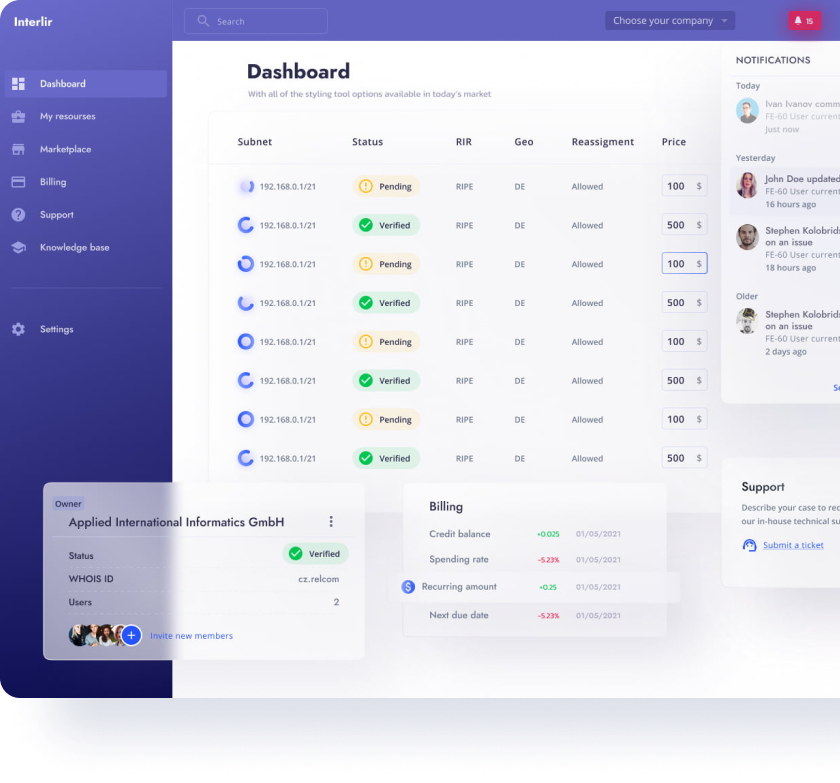
Compare available IPv4 blocks on the InterLIR Marketplace before moving production infrastructure to a new range.
6. IP Geolocation Is Wrong — Can It Be Fixed?
IPv4 geolocation is often inconsistent.
An address may be registered in one country, announced from another, while a GeoIP provider shows a third location.
This matters for CDN services, advertising, streaming, analytics, fraud prevention, and services with geographic restrictions.
Before leasing:
- check several major GeoIP databases;
- compare the results;
- determine which databases matter most to your service;
- ask whether the provider assists with corrections.
Update schedules differ between providers.
For example, MaxMind currently updates its GeoIP Country, City, Enterprise, and ISP databases every weekday. However, this does not mean that a submitted correction will appear immediately.
No IPv4 provider can realistically guarantee that all third-party GeoIP databases will update within a few hours.
7. Can You Configure Reverse DNS?
Reverse DNS maps an IP address to a domain name through a PTR record.
For ordinary infrastructure, it may be optional. For email servers, it can be critical.
Before leasing, determine whether the provider offers:
- direct PTR management;
- PTR changes upon request;
- reverse DNS delegation.
Also check existing PTR records. A newly leased IP address may still point to a domain used by the previous customer.
If your project involves email, rDNS management should be clarified before deployment.
8. What Happens If the Block Receives an Abuse Complaint?
Any IPv4 block can receive complaints related to spam, phishing, malware, scanning, attacks, or compromised systems.
What matters is how the provider handles such cases.
A typical process looks like this:
- STEP 01Complaint
- STEP 02Notification
- STEP 03Response deadline
- STEP 04Remediation
- STEP 05Resolution or escalation
Clarify:
- how quickly you are expected to respond;
- whether the block can be suspended;
- whether there is a warning period;
- whether one IP or the entire prefix may be affected.
These conditions are especially important for hosting providers and platforms with a large number of end users.
9. Is Your Intended Use Allowed?
Not every IPv4 lease allows every type of workload.
Some providers or resource owners may restrict:
- bulk email;
- open proxies;
- VPN services;
- scanning;
- certain hosting categories.
A range leased for one type of project may not automatically be suitable for another.
Before signing the agreement, review the acceptable use policy and clarify your intended use in advance when necessary.
10. What Does IPv4 Leasing Really Cost?
The price per IP is only part of the total cost.
A cheaper range may require additional engineering work because of poor reputation, incorrect geolocation, or outdated routing records.
When comparing offers, consider:
- monthly lease price;
- setup fees;
- minimum lease term;
- deposits;
- BGP- or ASN-related costs;
- rDNS services;
- early termination conditions.
Also check whether the price is fixed for the entire contract term.
A better comparison is the total expected cost of using the block, not only the monthly price.
Before leasing, compare more than the price per IP.
Final Checklist Before Leasing
Before signing the agreement, confirm that:
01
Reputation & control
02
Routing & deployment
03
Use & lease terms
Only after these points are clear does it make sense to determine whether the offer is truly attractive from a pricing perspective.
Conclusion
Leasing IPv4 addresses is not simply about finding the right prefix size at an attractive price.
You need to evaluate reputation, routing, IRR, RPKI, geolocation, reverse DNS, abuse procedures, usage restrictions, and contract terms.
Even a technically valid IPv4 block can become problematic if an old IRR object remains, the ROA causes an RPKI Invalid status, or third-party services continue to classify the address incorrectly.
A safer process looks like this:
- STEP 01define requirements
- STEP 02evaluate the range
- STEP 03prepare routing
- STEP 04test external behavior
- STEP 05review the agreement
- STEP 06move to production
Ready to Lease IPv4 Space?
Browse available IPv4 blocks on the InterLIR Marketplace and choose a range that matches your routing, reputation, geolocation, and lease requirements.